Fxxk-MiBrowser

Latest Release Total Downloads

防止 HyperOS 强制使用小米浏览器打开链接,改为调用系统默认浏览器。 Prevent HyperOS from forcing links into Xiaomi Browser; redirect to the system default browser.

本项目xposed仓库地址:https://github.com/Xposed-Modules-Repo/com.hyperosfix.browser

中文说明

这是一个用于 HyperOS 的 LSPosed 模块。它只解决一个核心问题:当小米系统或系统应用拿到网页链接时,不应该强制调用小米浏览器,也不应该在小米浏览器已卸载或禁用时跳到小米应用商店的浏览器下载页,而应该交给用户在系统设置里选择的默认浏览器。

模块不会把链接硬编码到 Chrome、Edge、Firefox、Via 或任何固定浏览器。它会尽量恢复原始网页链接,清掉指向小米浏览器 / 小米应用商店的强制目标,然后让 Android 按当前默认浏览器设置继续处理。如果系统没有默认浏览器,则回到系统自己的浏览器选择器。

主要修复场景

  1. 小米互传分享网页链接时,系统强制调用小米浏览器。
  2. 系统设置里连接小米路由器后,“管理小米路由”入口强制跳转小米浏览器。
  3. 小爱识屏 / 超级小爱识别到网页链接后,点击链接仍然调用小米浏览器。

计划加入的功能

  • 修复传送门搜索功能的浏览器跳转逻辑

由于本项目一开始的目的是自用,部分功能在其他模块已经支持了的就暂时没有做,如果有什么别的和小米浏览器相关的跳转功能想要增加支持的,欢迎提issue

效果截图

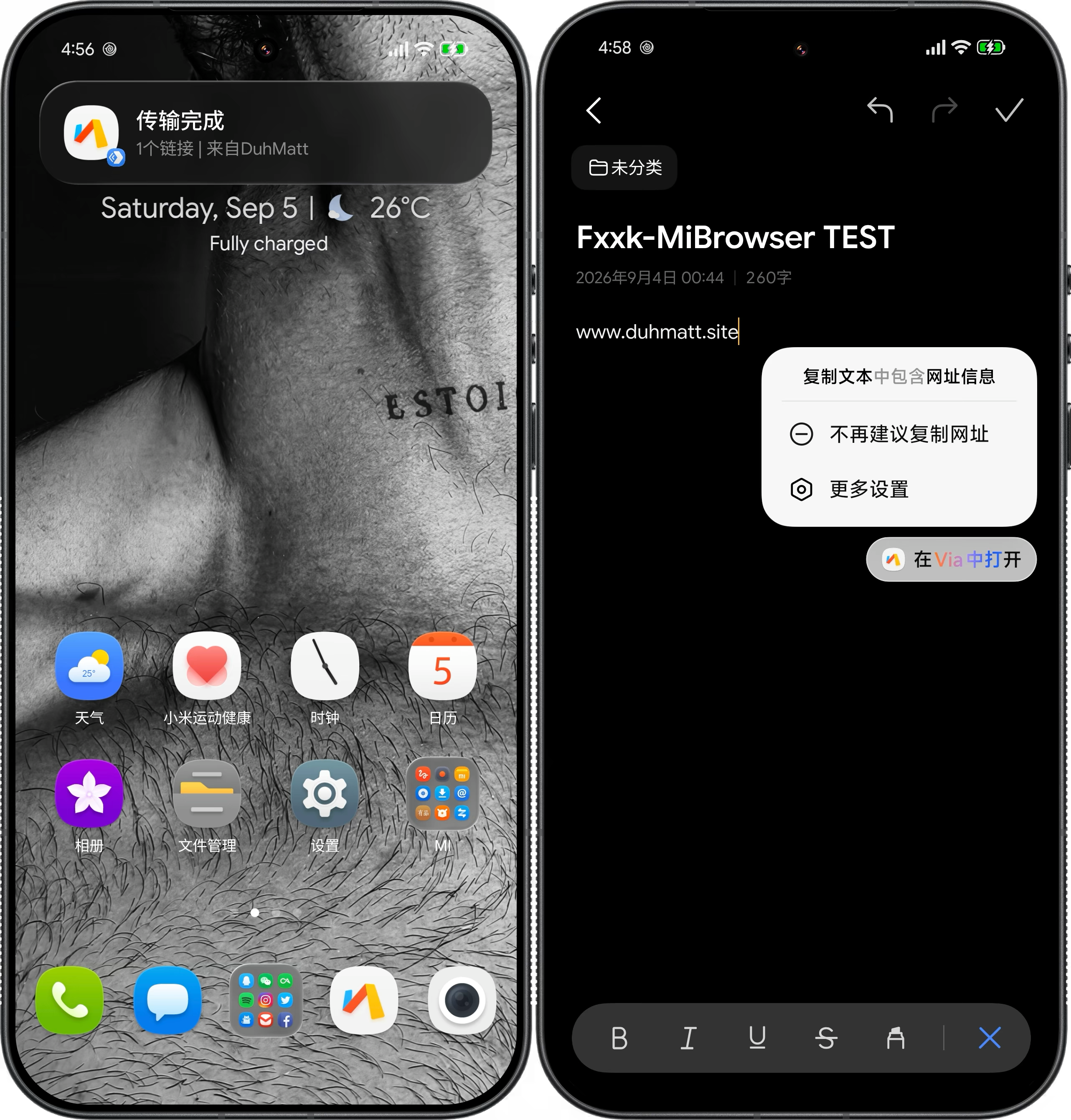
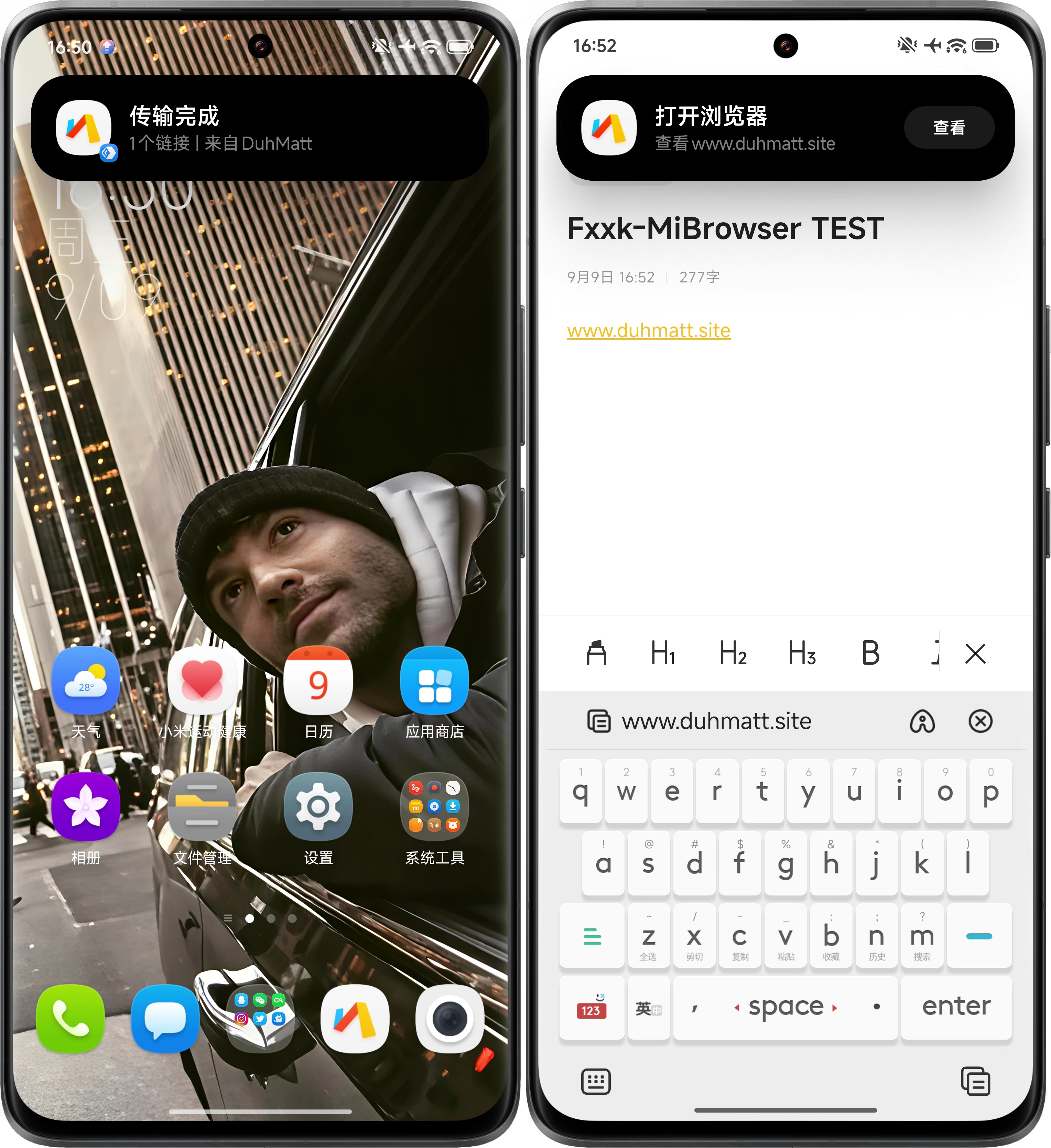
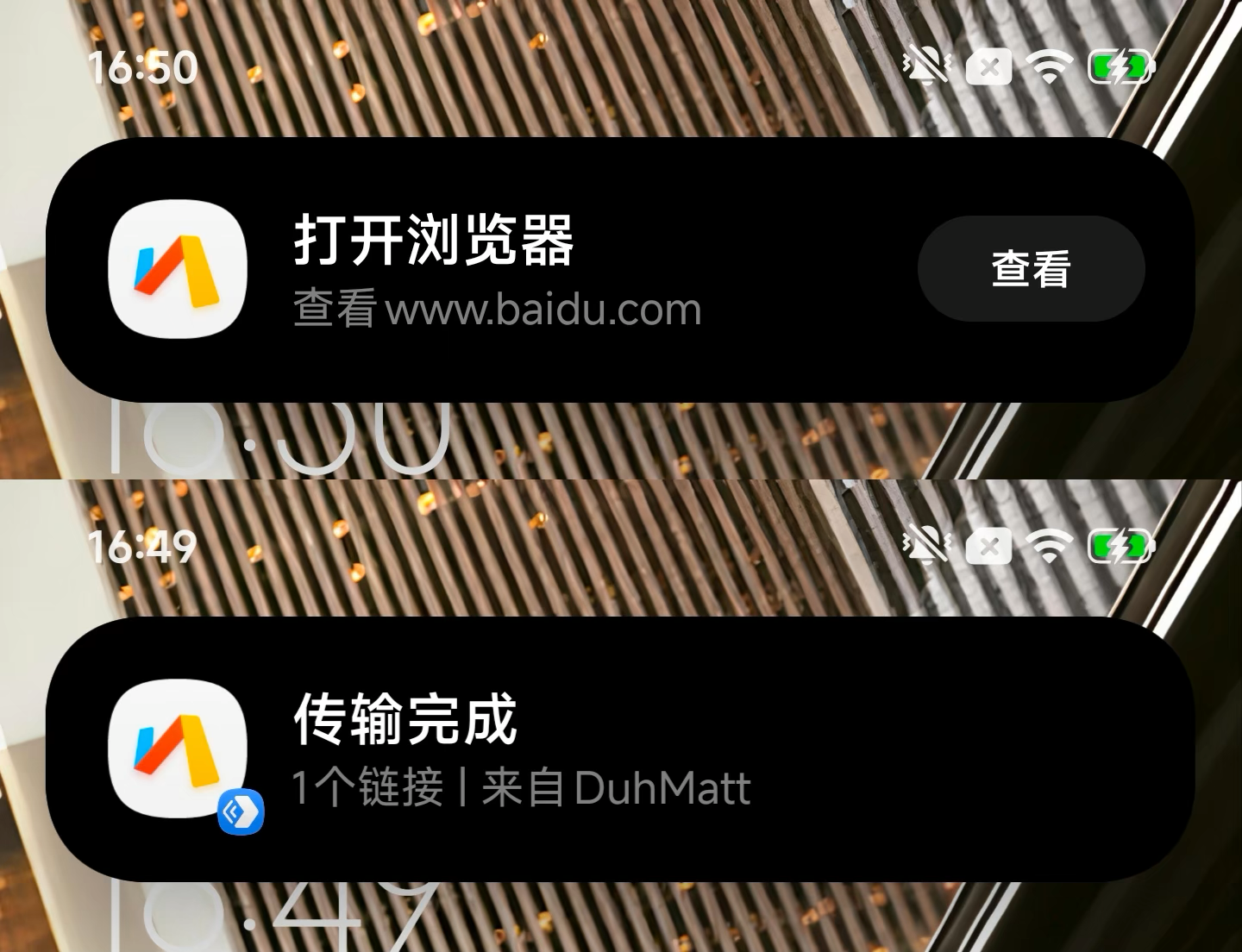
小米互传链接通知显示默认浏览器图标

小米超级岛浏览器图标替换功能来自 @189521394#2 提出的建议,并参考了原项目 com.fuckXiaomi.hookBrowser 的思路,在此感谢。

处理方式

  • 只处理网页链接,例如 http://https://
  • 移除 Intent 中指向小米浏览器的固定包名或组件。
  • 识别小米应用商店的浏览器下载页跳转,例如:
market://details?id=com.android.browser
mimarket://details?id=com.android.browser
  • 尝试从小米互传、小米路由入口或小爱识屏链路里恢复原始 URL。
  • 将恢复后的网页链接交给用户设置的系统默认浏览器。
  • 避免影响文件、电话、短信、地图、应用私有 scheme 等非网页 Intent。

已测试环境

以下信息来自实机和 LSPosed 管理器:

项目
厂商 Xiaomi
设备型号 25128PNA1C
设备代号 nezha
Android 版本 16
Android SDK 36
HyperOS 版本名 OS3.0
HyperOS 增量版本 OS3.0.307.0.WPACNXM
系统构建版本 16OS3.1.260514.221906302.QCPECN.S
LSPosed 2.0.2 (7668)
Xposed API 101
LSPosed 管理器包名 org.lsposed.manager
Xposed API 调用保护 已启用
Dex 优化器包装 支持
测试默认浏览器 Via (mark.via)

小米互传场景,实测能从接收数据里恢复原始网页链接:

点击小米互传接收通知
-> tap_recv_data
-> com.miui.mishare.tap.TapData.h
-> 原始 https 链接
-> 用户设置的默认浏览器

“管理小米路由”场景,系统原本会把路由器后台地址交给小米浏览器:

http://192.168.1.1
-> com.android.browser

模块启用后会改为:

http://192.168.1.1
-> 用户设置的默认浏览器

小爱识屏场景,实测能从小米浏览器下载页链路恢复识别到的网页链接:

mimarket://details?id=com.android.browser
-> https://baidu.com
-> 用户设置的默认浏览器

使用要求

  • 已 root 的 Android 设备
  • LSPosed
  • HyperOS 或 MIUI
  • 系统里已经设置好你想使用的默认浏览器

推荐 LSPosed 作用域:

  • 系统框架 (android)
  • 小米互传 / MiShare (com.miui.mishare.connectivity)
  • 小米应用商店 (com.xiaomi.market)
  • 小米浏览器 (com.android.browser),如果设备上存在
  • 设置 (com.android.settings),用于 Wi-Fi 详情页的“小米路由”入口
  • HyperAI Engine (com.xiaomi.aicr),用于剪贴板识别和部分识屏链路
  • 超级小爱 / 小爱同学 (com.miui.voiceassist),用于小爱识屏
  • 翻译 (com.xiaomi.aiasst.vision),部分 HyperOS 版本可能使用

安装

普通用户建议直接到 Releases 下载已签名的 APK。

安装后,在 LSPosed 里启用模块并选择上面的作用域。改完作用域后最好重启手机;只强制停止相关应用有时也能生效,但不如重启稳。

构建

Debug 构建:

./gradlew assembleDebug

Release 构建:

./gradlew assembleRelease

默认生成的 release APK 没有签名。如果要分发,需要自己签名。

调试

常用日志 tag:

HyperOSBrowserFix_Main
HyperOSBrowserFix_Intent
HyperOSBrowserFix_Resolver

比较有用的日志:

Cached Xiaomi source URL
Recovered URL from object field
Recovered original URL from Xiaomi source cache
Default browser found
Redirecting to

看到 Default browser foundRedirecting to,通常说明模块已经把链接交回给系统默认浏览器,而不是继续走小米浏览器。

注意事项

HyperOS / MIUI 的内部实现经常变。这个模块只保证在上面列出的设备和系统版本上实测可用;如果换系统版本后失效,通常要重新看 LSPosed 和 logcat 日志,找到新的跳转链路再补 hook。

English

Current version: 1.2.6

This is an LSPosed module for HyperOS. It fixes one core problem: when Xiaomi system components receive a web link, they should not force it into Xiaomi Browser, and they should not open Xiaomi Market's browser download page when Xiaomi Browser is removed or disabled. The link should go to the browser the user selected as the Android default browser.

The module does not hard-code Chrome, Edge, Firefox, Via, or any other browser. It tries to recover the original web URL, removes forced Xiaomi Browser / Xiaomi Market targets, and lets Android continue with the current default-browser setting. If no default browser is set, Android's normal browser chooser is used.

Main Fixed Scenarios

  1. Mi Share opens shared web links with Xiaomi Browser.
  2. The "Manage Xiaomi router" entry in system Wi-Fi settings opens Xiaomi Browser.
  3. XiaoAi / Super XiaoAi screen recognition opens recognized web links with Xiaomi Browser.

Planned Features

  • Fix the browser redirection logic for “Copy Direct”
  • Fix the browser redirection logic for the “Portal Search” feature

What It Does

  • Handles only web links, such as http:// and https://.
  • Removes fixed Intent packages or components that point to Xiaomi Browser.
  • Detects Xiaomi Market browser download-page redirects, for example:
market://details?id=com.android.browser
mimarket://details?id=com.android.browser
  • Tries to recover the original URL from Mi Share, Xiaomi router settings, or XiaoAi screen-recognition flows.
  • Sends the recovered web link to the user's system default browser.
  • Avoids touching files, phone links, SMS links, maps, app-private schemes, and other non-web Intents.

Tested Environment

The values below were checked on a real device and in LSPosed Manager:

Item Value
Manufacturer Xiaomi
Device model 25128PNA1C
Device codename nezha
Android version 16
Android SDK 36
HyperOS version name OS3.0
HyperOS incremental version OS3.0.307.0.WPACNXM
System build version 16OS3.1.260514.221906302.QCPECN.S
LSPosed 2.0.2 (7668)
Xposed API 101
LSPosed manager package org.lsposed.manager
Xposed API call protection Enabled
Dex optimizer wrapper Supported
Tested default browser Via (mark.via)

Observed Mi Share recovery path:

Mi Share notification click
-> tap_recv_data
-> com.miui.mishare.tap.TapData.h
-> original https URL
-> user's default browser

Observed Xiaomi router path:

http://192.168.1.1
-> com.android.browser

With the module enabled:

http://192.168.1.1
-> user's default browser

Observed XiaoAi screen-recognition recovery path:

mimarket://details?id=com.android.browser
-> https://baidu.com
-> user's default browser

Requirements

  • Rooted Android device
  • LSPosed
  • HyperOS or MIUI
  • A browser already selected as the system default browser

Recommended LSPosed scope:

  • System Framework (android)
  • Mi Share (com.miui.mishare.connectivity)
  • Xiaomi Market (com.xiaomi.market)
  • Xiaomi Browser (com.android.browser), if present on the device
  • Settings (com.android.settings), for the Wi-Fi details Xiaomi router entry
  • HyperAI Engine (com.xiaomi.aicr), for clipboard recognition and some screen-recognition flows
  • Super XiaoAi / Mi AI (com.miui.voiceassist), for XiaoAi screen recognition
  • AI vision assistant (com.xiaomi.aiasst.vision), used by some HyperOS builds

Install

For normal use, download the signed APK from Releases.

After installing it, enable the module in LSPosed and select the scopes above. A full reboot is the cleanest way to apply scope changes; force-stopping the scoped apps may work, but rebooting is less fiddly.

Build

Debug build:

./gradlew assembleDebug

Release build:

./gradlew assembleRelease

The default release APK is unsigned. Sign it yourself before distributing it.

Debugging

Useful log tags:

HyperOSBrowserFix_Main
HyperOSBrowserFix_Intent
HyperOSBrowserFix_Resolver

Useful log lines:

Cached Xiaomi source URL
Recovered URL from object field
Recovered original URL from Xiaomi source cache
Default browser found
Redirecting to

When Default browser found and Redirecting to appear, the module has usually handed the link back to the system default browser instead of continuing through Xiaomi Browser.

Notes

HyperOS and MIUI internals change often. This module is tested on the device and build listed above. If it stops working on another build, the next step is to inspect LSPosed and logcat output and update the hook for the new launch path.

License

MIT

Releases

v1.2.8

Stable

7/3/2026, 4:14:49 PM

下载地址 | Download Link

中文

v1.2.8 修复 AI Engine 复制直达(快递、地址)聚焦通知图标被错误替换的问题。

感谢 @MrJonhShelby#8 报告此问题。

  • 修复 hookClipboardNotificationIcon 无条件将所有复制直达通知(URL、地址、快递)的图标替换为浏览器图标的问题。
  • 改为通过通知 PendingIntent 的目标、通知标题/文本内容、以及图标来源综合判断,仅在通知确认是打开浏览器时才替换图标
  • 地址类复制触发地图 App、快递类复制触发物流 App 时,聚焦通知图标保持不变。
  • 已在真机(HyperOS 3.0 / Android 16)上测试:复制 URL → 替换为默认浏览器图标 ✓,复制地址 → 保持地图图标 ✓。

这一版不改默认浏览器选择策略,也不会把非网页内容强行当成链接打开。

English

v1.2.8 fixes the AI Engine clipboard notification icon being incorrectly replaced for all "Copy Direct" actions (addresses, express tracking).

Thanks to @MrJonhShelby for reporting in #8.

  • Fix hookClipboardNotificationIcon unconditionally replacing all clipboard notification icons (URLs, addresses, express) with the browser icon.
  • Now inspects the notification's PendingIntent target, title/text content, and icon source to determine whether the action actually opens a browser. Only replaces the icon when the notification is confirmed to be about opening a browser.
  • Address copies keep their map app icon; express copies keep their logistics app icon.
  • Tested on-device (HyperOS 3.0 / Android 16): URL copy → replaced with default browser icon ✓, address copy → keeps map icon ✓.

This release does not change browser selection behavior or force non-web content to open as links.

Assets

1

v1.2.7

Stable

6/26/2026, 5:06:28 PM

下载地址 | Download Link

中文

v1.2.7 修复小米应用商店内部功能跳转被错误拦截的问题。

  • 当小米应用商店(com.xiaomi.market)通过 http/https 深链接启动内部功能(如「我的」→「手机清理」)时,模块不再将其误判为浏览器跳转而拦截。
  • 只对 Case D-G(无明确目标的隐式拦截)新增了小米应用商店白名单跳过;Case A-C(明确指向小米浏览器/应用商店的显式 intent)继续正常拦截。
  • 已在 HyperOS 真机测试,应用商店内功能跳转恢复正常。

感谢 @CunningHistorySheep#6 反馈此问题。

English

v1.2.7 fixes Xiaomi App Store internal features being wrongly intercepted.

  • When the Xiaomi App Store (com.xiaomi.market) launches internal features via http/https deep links (e.g. "我的" -> "手机清理"), the module no longer misidentifies them as browser redirects and intercepts them.
  • Only added an App Store allowlist skip for Cases D-G (implicit interception without an explicit target); Cases A-C (explicit intents targeting Xiaomi Browser/Market) continue to be intercepted as before.
  • Tested on a HyperOS device — App Store internal navigation now works correctly.

Thanks to @CunningHistorySheep for reporting this in #6.

Assets

1

v1.2.6

Stable

6/16/2026, 12:02:01 PM

mishare-browser-icon-v1 2 6

中文

v1.2.6 修复小米互传接收链接时仍显示小米浏览器图标的问题。

感谢 @189521394#2 提出功能建议并提供灵感来源;本功能参考了原项目 com.fuckXiaomi.hookBrowser 的思路。

  • 当小米互传接收链接弹窗读取小米浏览器图标时,动态替换为用户当前默认浏览器的图标。
  • 同步处理小米互传相关通知里的浏览器图标,避免链接已经交给默认浏览器但界面仍显示小米浏览器。
  • 修正 NotificationManager.notify(String, int, Notification) 参数判断,避免把 tag 误当成包名。
  • 保留 v1.2.5 的设置搜索闪退修复,继续补齐假 PackageInfo.applicationInfoApplicationInfo.sourceDir
  • 已在真机上测试小米互传链接接收弹窗,图标替换正常。

这一版只替换显示图标,不改变默认浏览器选择策略,也不会把非网页文件强行当成链接打开。

English

v1.2.6 fixes Xiaomi Browser icons still appearing in Mi Share link-receive UI.

Thanks to @189521394 for suggesting this in #2 and sharing the inspiration; this feature also references the idea from the original com.fuckXiaomi.hookBrowser project.

  • Replace Xiaomi Browser icons with the user's current default browser icon when Mi Share reads the browser icon for a received link popup.
  • Also cover Mi Share browser-icon notification paths so links handed to the default browser do not still show Xiaomi Browser branding.
  • Fix the NotificationManager.notify(String, int, Notification) argument handling so the tag is not mistaken for a package name.
  • Keep the v1.2.5 Settings-search crash fix by preserving the fake PackageInfo.applicationInfo and ApplicationInfo.sourceDir fields.
  • Tested on-device with Mi Share link receive popup icon replacement.

This release only changes displayed icons. It does not change browser selection behavior or force non-web files to open as links.

Assets

2

v1.2.5

Stable

6/16/2026, 6:05:44 AM

中文

v1.2.5 修了一个会导致设置搜索闪退的问题。

  • 补齐假 PackageInfo 里缺的 applicationInfo 字段。之前模块假装小米浏览器已安装时返回的对象不完整,设置搜索遍历所有包名检查系统应用身份时读到 null 直接崩了。
  • 顺便给假 ApplicationInfo 加了 sourceDir,避免其他可能读这个字段的代码再踩空。

在小米 17 Ultra 和小米 13 Ultra 上确认过,设置搜索不再闪退,路由管理跳转也正常。

English

v1.2.5 fixes a crash when searching in Settings.

  • The fake PackageInfo returned by the module was missing its applicationInfo field. When Settings' search thread iterates all packages and reads applicationInfo.flags, the null field caused a NullPointerException.
  • Added sourceDir to the fake ApplicationInfo as well, in case other code paths read it.

Confirmed on Xiaomi 17 Ultra and Xiaomi 13 Ultra. Settings search no longer crashes, and the Xiaomi router management redirect still works.

Assets

1

v1.2.4

Stable

6/14/2026, 11:01:05 AM

中文

v1.2.4 是一次代码整理版。功能没有换方向,只把已经测试正常的跳转流程收短一点。

  • 合并 startActivityInstrumentation.execStartActivity 里重复的浏览器重定向逻辑,两个入口现在走同一段处理。
  • 精简默认浏览器候选选择逻辑,仍然优先避开小米浏览器,再交给系统默认浏览器或系统选择器。
  • 简化小米浏览器 / 应用商店包名判断,行为不变。
  • 清掉几处 Kotlin 编译器提示里的多余安全调用和不必要类型转换。
  • 已在手机上测试,现有功能正常。

这一版不改 LSPosed 推荐作用域,不改默认浏览器选择策略,也不新增任何浏览器包名。

English

v1.2.4 is a cleanup release. The behavior stays the same; the redirect path is just shorter now.

  • Merge the duplicated redirect logic used by startActivity and Instrumentation.execStartActivity.
  • Trim the default-browser candidate selection while still avoiding Xiaomi Browser first, then using the system default browser or Android chooser.
  • Simplify Xiaomi Browser / app-store package checks without changing the result.
  • Remove a few unnecessary safe calls and casts flagged by the Kotlin compiler.
  • Tested on-device after the change. Existing behavior still works.

This release does not change the recommended LSPosed scope, browser selection behavior, or add any hard-coded browser package.

Assets

1

v1.2.3

Stable

6/12/2026, 11:51:05 AM

v1.2.3 添加 android:description 属性,LSPosed 管理器现在可以显示模块描述。
v1.2.3 adds android:description attribute so LSPosed Manager can display the module description.

Assets

1

v1.2.2

Stable

6/12/2026, 2:49:09 AM

中文

v1.2.2 主要是把默认作用域收回来一点,同时保留已经验证过的三条链路。

  • 推荐作用域从 13 个缩到 9 个,去掉 com.xiaomi.mirrorcom.miui.videocom.miui.securitycentercom.android.systemui
  • 保留小米互传、小爱识屏 / 超级小爱、AI Engine、contentcatcher、AI 视觉助手,以及设置里的“小米路由管理”入口所需作用域。
  • 移除一个只用于记录日志的 PackageManager.resolveActivity hook。它不改结果,release 版里继续挂着意义不大。
  • 回归测试小爱识屏、小米互传 URL、设置里的“管理小米路由”,三项都能继续交给系统默认浏览器。

这一版没有改变默认浏览器选择逻辑,也没有硬编码任何浏览器包名。

English

v1.2.2 trims the default LSPosed scope without dropping the paths that were tested on-device.

  • Reduce the recommended scope from 13 packages to 9 by removing com.xiaomi.mirror, com.miui.video, com.miui.securitycenter, and com.android.systemui.
  • Keep the scopes needed by Mi Share, XiaoAi / Super XiaoAi screen recognition, AI Engine, contentcatcher, AI vision, and the Settings entry for Xiaomi router management.
  • Remove the PackageManager.resolveActivity hook that only logged resolver results. It did not change behavior, so it should not stay in the release build.
  • Retested XiaoAi screen recognition, Mi Share URL handling, and Settings' "Manage Xiaomi router" entry. All three still hand links to the system default browser.

This release does not change browser selection and still does not hard-code a browser package.

Assets

1