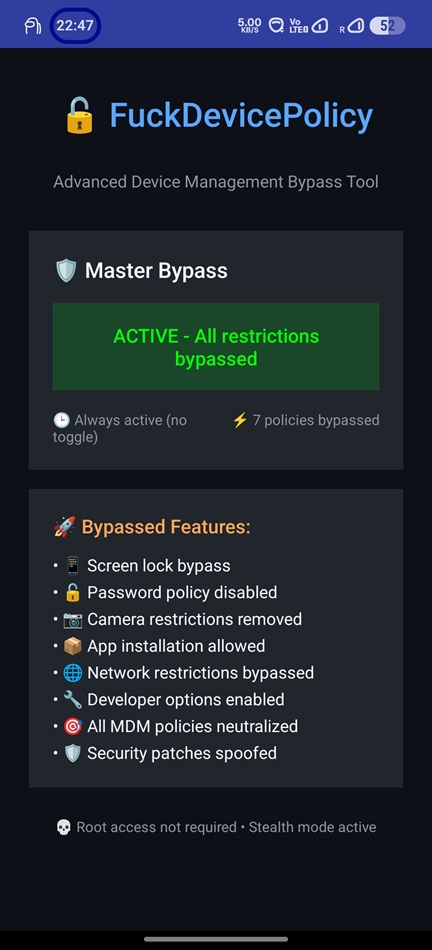
An LSPosed / Xposed module that makes apps see no device-policy restrictions
on your own device. It hooks the client-side DevicePolicyManager and
UserManager restriction checks and returns the "no restriction" answer —
per category, behind a master toggle.
v3 is a full Kotlin rewrite and fork of liyafe1997/FuckDevicePolicy. The original neutralises
UserManagerpolicies (e.g. work-profile / Intune device-wide restrictions); this rewrite generalises that into a per-category UI spanningDevicePolicyManagerandUserManager.
Source, issues & builds: https://github.com/Bouteillepleine/FuckDevicePolicy
Warning
4.0 requires a modern-API framework. This build uses the modern Xposed API
(libxposed, minApiVersion=101 / targetApiVersion=102), which only the
LSPosed 2.x forks implement. Mainline LSPosed 1.9.x will not load it —
the module will simply do nothing there. Stay on 3.1 if you are on 1.9.x.
Upgrading also resets your settings: a modern module gets no world-readable preference redirect, so 3.x toggles usually cannot be read and you start from the defaults (everything on, as shipped). Your scope is preserved.
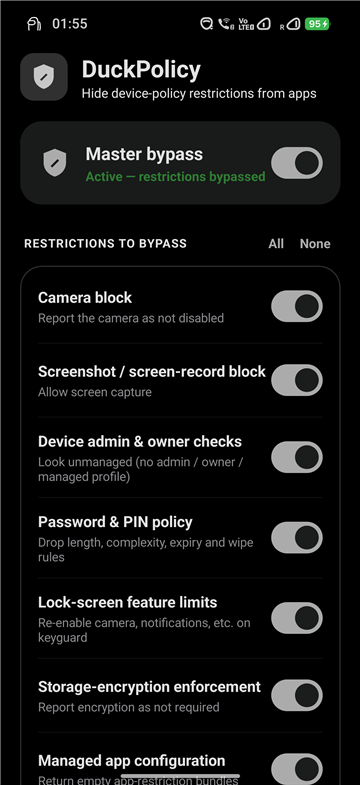
- Master toggle + per-category switches, with All / None quick actions.
- 13 categories:
- Camera block — report the camera as not disabled
- Screenshot / screen-record block — allow screen capture
- Device admin & owner checks — look unmanaged (no admin / owner / managed profile)
- Password & PIN policy — drop length, complexity, expiry and wipe rules
- Lock-screen feature limits — re-enable camera, notifications, etc. on keyguard
- Storage-encryption enforcement — report encryption as not required
- Managed app configuration — return empty app-restriction bundles
- User restrictions (
DISALLOW_*) — clear them, incl.UserManager.hasUserRestriction - Auto-lock timeout — remove the forced maximum time-to-lock
- Kiosk / lock-task mode — report lock-task as permitted / unrestricted
- Allowed IMEs & accessibility — remove input-method / accessibility allow-lists
- Misc — auto-time, cross-profile, Bluetooth and other smaller restrictions
- Outlook enrollment gate (new in 3.1) — hooks Outlook's own private
DevicePolicyclass (requiresDeviceManagement/isPolicyApplied) so it skips the "your organization requires device management" enrollment screen. Different layer than the rows above (Outlook's own gate, not the framework or Intune MAM SDK); only installs when scoped intocom.microsoft.office.outlook.
- Material You dynamic colours (Android 12+) and an adaptive icon.
- Small: R8 + resource shrinking, ~1.8 MB.
- Install and enable DuckPolicy in LSPosed.
- Set the module scope:
- System Framework (
android) for the broadest, system-wide effect — the recommended default for work-profile / user-restriction cases. - or specific target app(s) whose policy view you want to change.
- System Framework (
- Reboot (or force-stop the scoped processes) to apply.
Important
Do not scope the MDM app itself (e.g. Microsoft Intune / Company Portal) or Microsoft Authenticator — hooking those can expose Xposed/root to detection. Outlook is different and included in the default scope: it has no meaningful Xposed/root detection, only its own enrollment-gate check, which the Outlook enrollment gate category neutralises. It does not touch Intune MAM app-protection restrictions (screenshot block, copy/paste, PIN) inside Outlook — those are enforced independently and need a separate hook.
Since 4.0 the settings are brokered by the framework itself (remote preferences) instead of a world-readable file, so a toggle applies live to every already-hooked process — no reboot. A reboot (or force-stop) is still needed after a scope change, because that is when hooks get installed. The app also shows you its actual LSPosed scope, which the legacy API could not report.
To see which restrictions are actually applied on your device:
adb shell dumpsys device_policy (look under userRestrictions:).
The hooks patch the client-side DevicePolicyManager / UserManager wrappers
inside each scoped process — installed from onSystemServerStarting for System
Framework and onPackageReady for apps — changing what an app (or the framework)
sees when it queries policy. They do not rewrite what system_server actually enforces
underneath. Intended for your own device.
- Original module and concept: liyafe1997/FuckDevicePolicy.
- v3 rewrite and the 4.0 modern-API migration: Bouteillepleine/FuckDevicePolicy.
该模块可以让 App 在你自己的设备上看到「没有任何设备策略限制」。它挂钩客户端的
DevicePolicyManager 与 UserManager 的限制检查,按类别返回「无限制」的结果,并带有一个总开关。
这些策略一般由「设备管理员」App 或「工作配置文件」设置(例如 Microsoft Intune),
即使在工作配置文件里设置、但会影响到整个安卓(你的个人空间)的全局策略也在覆盖范围内。
注意:挂钩改变的是各进程中客户端所「看到」的策略,并不会改变
system_server底层实际执行的策略。 请勿将 MDM App 本身(如 Intune / 公司门户)加入作用域。
Warning
4.0 需要支持新版 Xposed API 的框架(libxposed,minApiVersion=101 /
targetApiVersion=102),目前只有 LSPosed 2.x 分支 实现。原版 LSPosed 1.9.x
无法加载此版本,模块将不会生效;若仍在使用 1.9.x,请继续使用 3.1。
升级后设置会被重置(新版模块没有全局可读的配置重定向),恢复为默认值(全部开启);
作用域会保留。