HyperTorch 为小米 HyperOS 原生手电筒面板启用亮度滑块,使不受支持的老设备支持通过控制中心调节手电筒亮度。拖动滑块即可调光,下次开灯时会恢复上次的亮度。
Adjust flashlight brightness with the slider in Xiaomi’s native HyperOS panel, allowing unsupported older devices to adjust flashlight brightness through the control center. The next time you turn the light on, HyperTorch restores the level you last used.
下载 APK · Download · 源码仓库 · Source: AetherPX/HyperTorch
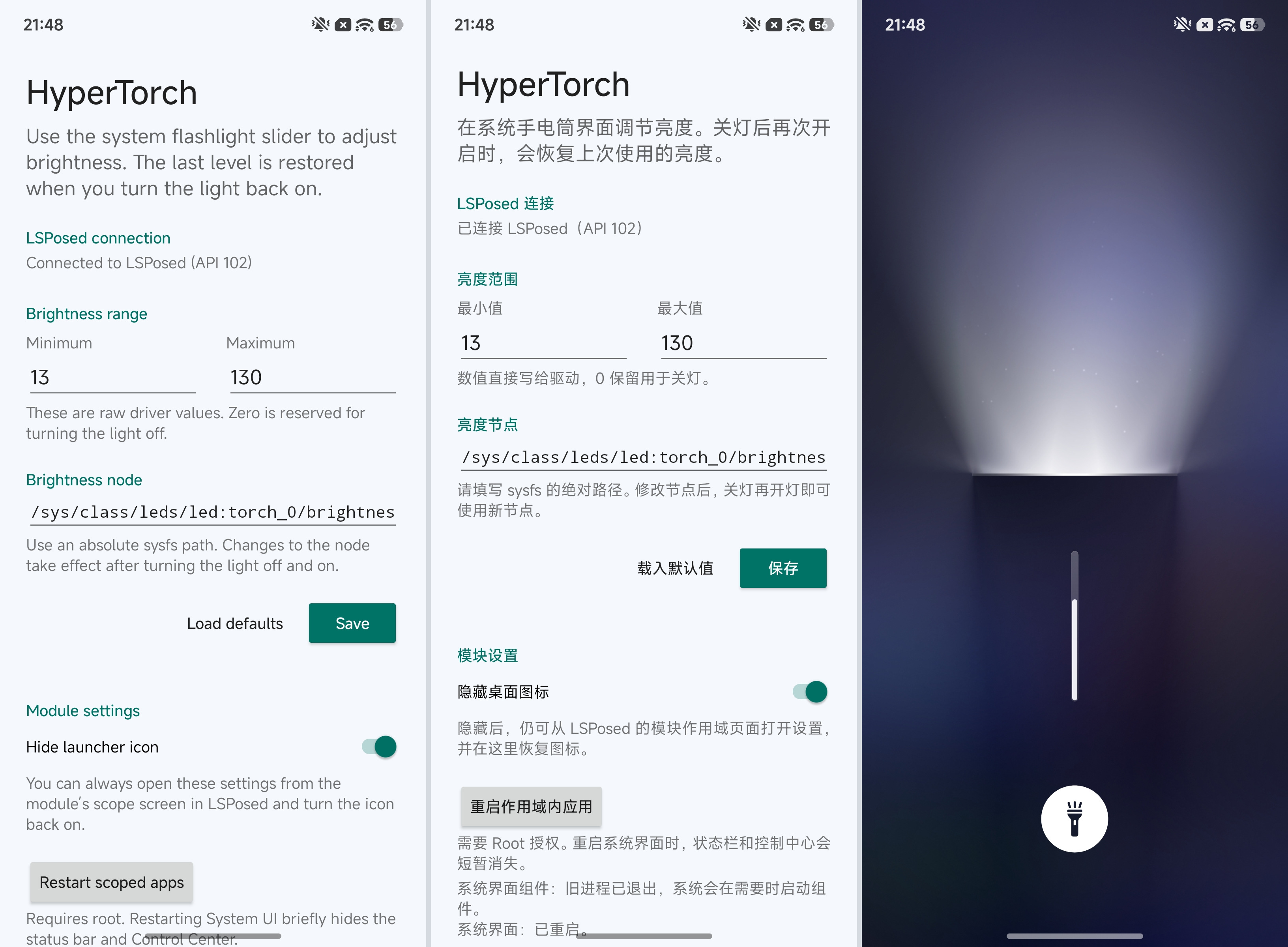
需要 Android 13 或更新版本、自带原生手电筒面板的小米 HyperOS,以及支持现代 Xposed API 102 和远程偏好设置的 LSPosed。已知可用的系统界面组件版本为 18.3.2.40.1。
- 安装 APK,在 LSPosed 中启用 HyperTorch,作用域勾选系统界面(
com.android.systemui)和系统界面组件(miui.systemui.plugin)。首次启用后重启手机。 - 打开 HyperTorch,按设备的 LED 驱动设置亮度范围和节点。默认范围为
13–130,默认节点为/sys/class/leds/led:torch_0/brightness。处理手电筒命令的进程必须能写入该节点。 - 从控制中心打开手电筒面板,拖动滑块调光。若已隐藏桌面图标,可从 LSPosed 的模块作用域页重新打开设置。
Requires Android 13 or later, a Xiaomi HyperOS ROM with the native flashlight panel, and LSPosed with modern Xposed API 102 and remote preferences. Xiaomi System UI Plug-in version 18.3.2.40.1 is known to work.
- Install the APK and enable HyperTorch in LSPosed. Select System UI (
com.android.systemui) and System UI Plug-in (miui.systemui.plugin) as its scope, then reboot after enabling it for the first time. - Open HyperTorch and set the brightness range and node for your device’s LED driver. The defaults are
13–130and/sys/class/leds/led:torch_0/brightness. The process that handles flashlight commands must be able to write to that node. - Open the flashlight panel from Control Center and drag the slider. If you hide the launcher icon, you can still open settings from the module’s scope page in LSPosed.