
RestoreRoundedSliders is an Xposed module for the Pixel SystemUI to make the Android 16/17 Pixel brightness and volume sliders rounded again.
It is not a total 100% accurate reproduction of the pre Android 16 slider style, but more of a mix of the modern and the old style (screenshots below).
/*
 * Your warranty is void.
 * I am not responsible for bricked devices, dead SD cards, thermonuclear war,
 * or you getting fired because the alarm app failed.
 * Please do some research if you have any concerns about features included
 * in the products you find here before flashing it!
 * YOU are choosing to make these modifications.
 */
This module modifies SystemUI at runtime through Xposed hooks. A SystemUI update can break compatibility or cause SystemUI to restart repeatedly.
Keep a way to disable Xposed modules from recovery / your root environment before testing new versions.


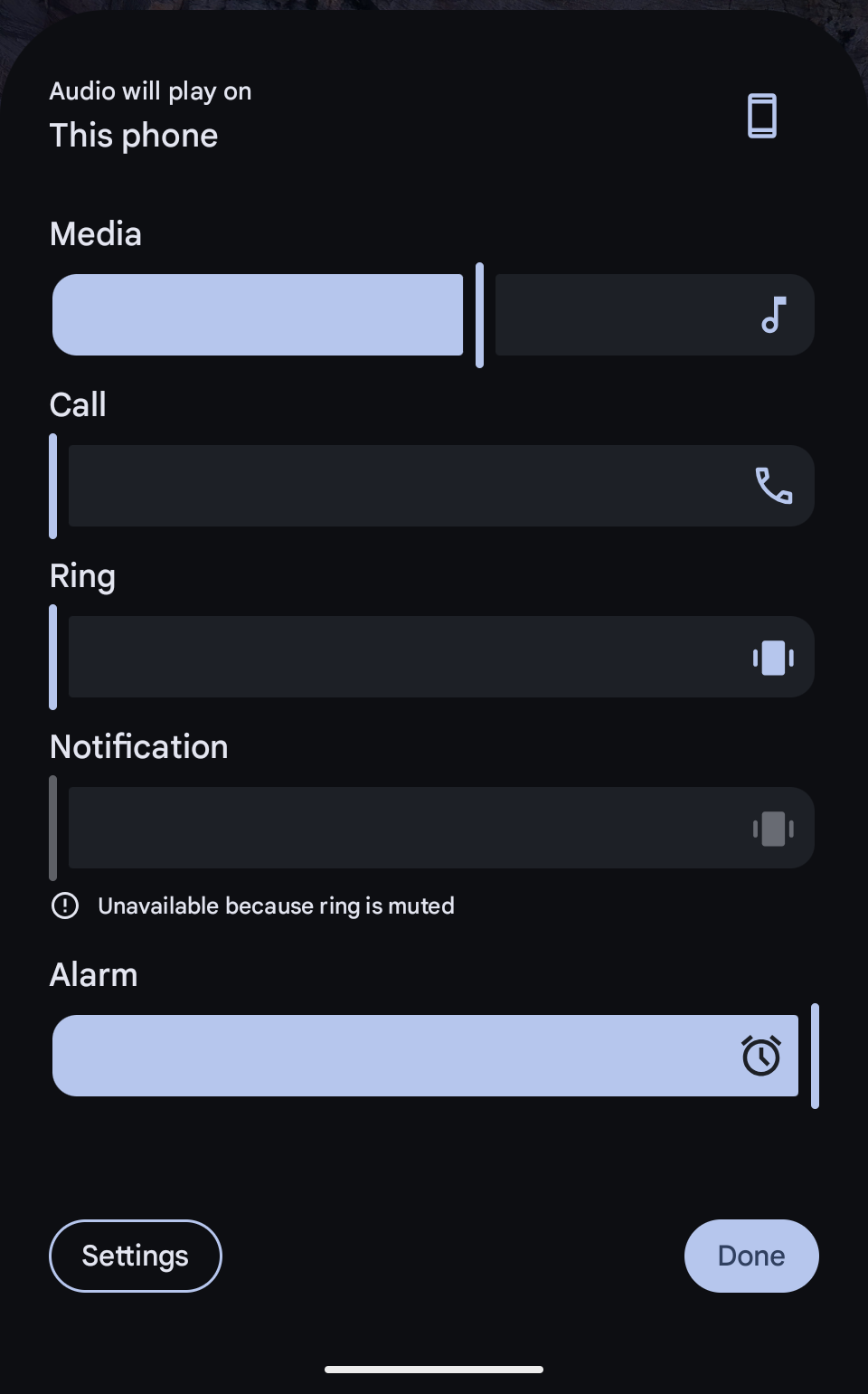


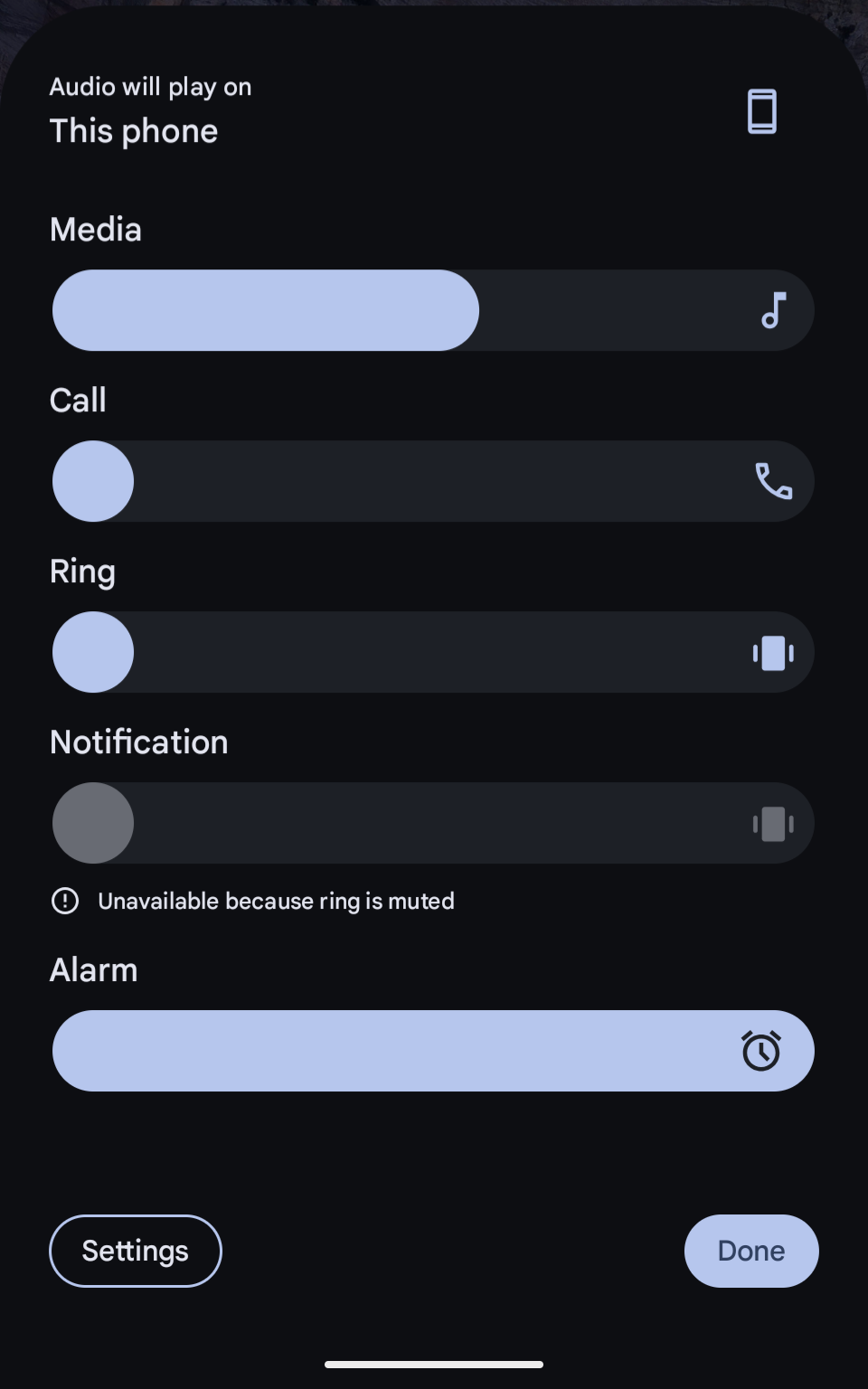
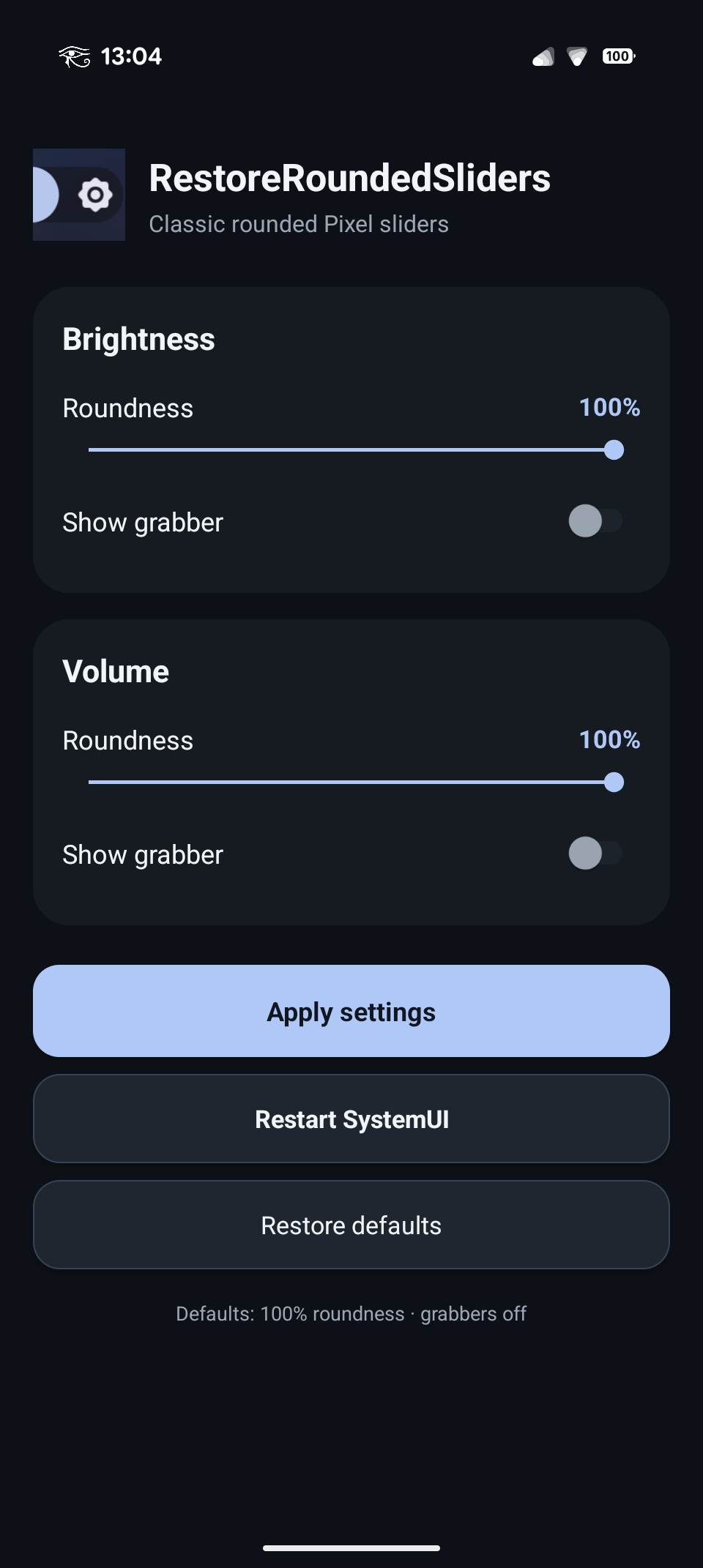
By default, the following configuration is applied to restore classic rounded sliders without grabbers:
- Brightness roundness: 100%
- Brightness grabber: OFF
- Volume roundness: 100%
- Volume grabber: OFF
These settings can be adjusted individually in the App to change the appearance.
Applying settings automatically restarts SystemUI.
As of now, this module has only been tested on a Google Pixel 9 Pro with Android 17 (build CP2A.260805.005), but it should work on all Pixel devices with Android 17.
It has not been tested with Android 16 (which has the same slider style) yet, so I can't say for sure if it is compatible with it or not.
Feedback from different devices and/or with Android 16 would be appreciated.
- Rooted Android device
- A working Xposed-compatible framework such as Vector
- Pixel Android 17 / compatible
SystemUIGooglebuild - Root access for the configuration app
The Xposed module itself is scoped only to:
com.android.systemui
The configuration app requests root so it can save its settings through Settings.Global and restart SystemUI after changes are applied.
- Install the RestoreRoundedSliders APK.
- Open Vector / your Xposed manager.
- Enable RestoreRoundedSliders.
- Make sure the module is scoped to System UI (
com.android.systemui). - Reboot the device, or restart SystemUI.
- Grant root access to the RestoreRoundedSliders app and open it.
- Configure brightness and volume roundness / grabber settings.
- Tap Apply settings.
RestoreRoundedSliders hooks Pixel SystemUI's Jetpack Compose / Material 3 slider rendering through the Xposed API.
Instead of replacing the entire SystemUI component, it modifies the relevant slider geometry at runtime. This allows the module to retain Android's native:
- colors
- value handling
- animations
- haptic feedback
- brightness behavior
- volume behavior
while changing the visual track shape.
The project currently uses the legacy Xposed API via a bundled Xposed API 82 JAR (api-82.jar, SHA-256: f48c635f1c7469fdec0e00ad2ea0b7a6b2f5b55065784a35b7ca3a84615e8e25) for compilation and includes an assets/xposed_init entry point.
- Android SDK
- JDK 17 or 21 recommended
- Gradle wrapper included with the project
Clone the repository and run:
./gradlew assembleDebugThe debug APK will be generated under:
app/build/outputs/apk/debug/
For public releases, use a consistently signed release APK. Keep the same signing key for every future release, otherwise Android will not allow users to update the installed module normally.
Useful log filter:
adb logcat | grep RestoreRoundedSlidersor:
adb logcat | grep REALVOLTo manually restart SystemUI:
adb shell su -c 'killall com.android.systemui'io.github.cgiangreco.restoreroundedsliders
Bug reports are welcome, especially from other Pixel devices and Android 17 builds.
When reporting an issue, please include:
- device model
- Android build number
- Vector / Xposed framework version
- whether brightness, compact volume, or mixer is affected
- relevant
adb logcatoutput
Because this module depends on internal SystemUI implementation details, reports from different Pixel builds are especially useful.