AutoExpandNotifications
Notification & System Tweaks for OxygenOS



About
An LSPosed/Xposed module that enhances notification behavior and adds a Gboard keyboard toolbar on OnePlus devices running OxygenOS. Auto-expand notifications everywhere, block accidental popup launches, disable back gesture haptic, ungroup notifications, and get a powerful clipboard + shortcut toolbar in your keyboard.
Screenshots
| Expanded Heads-Up | Notification Shade | Settings |
|---|---|---|
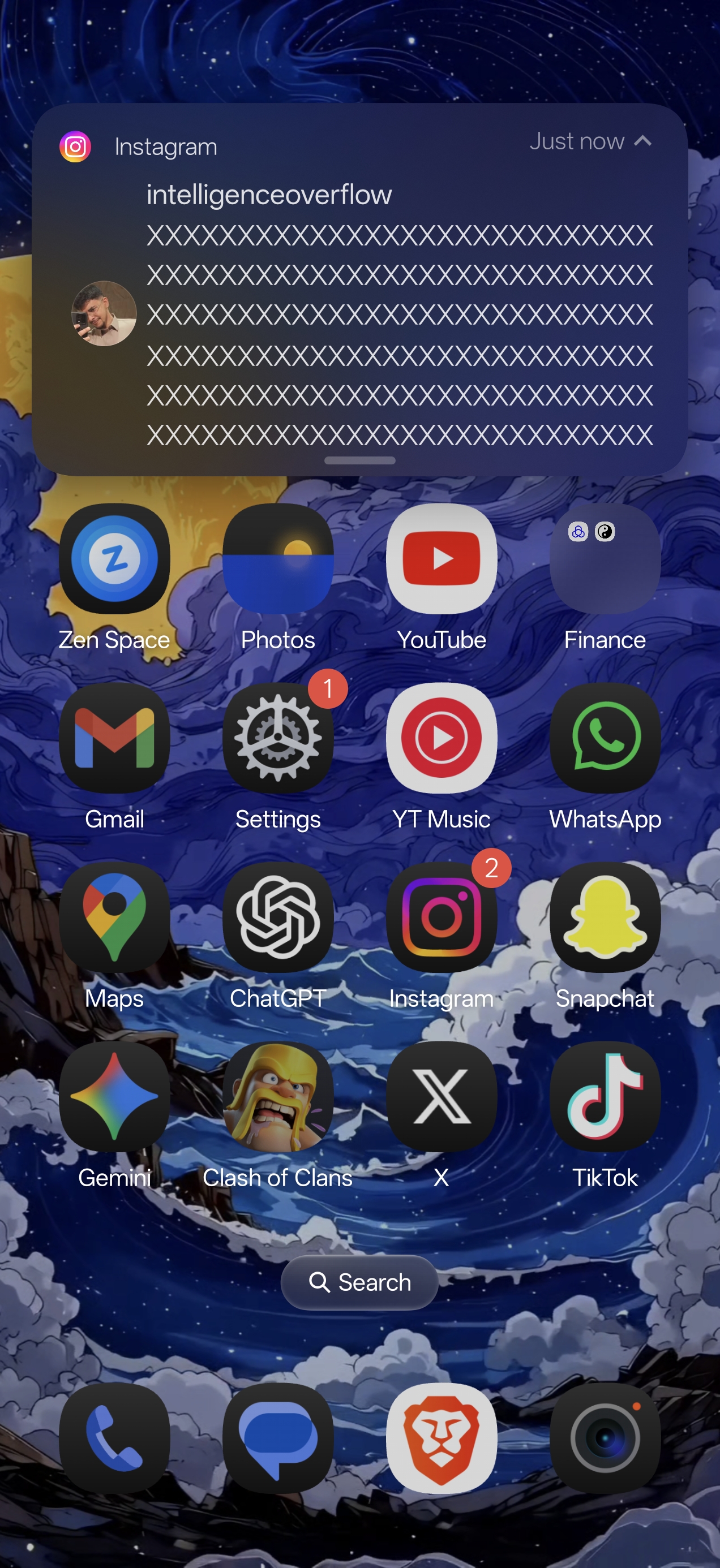 |
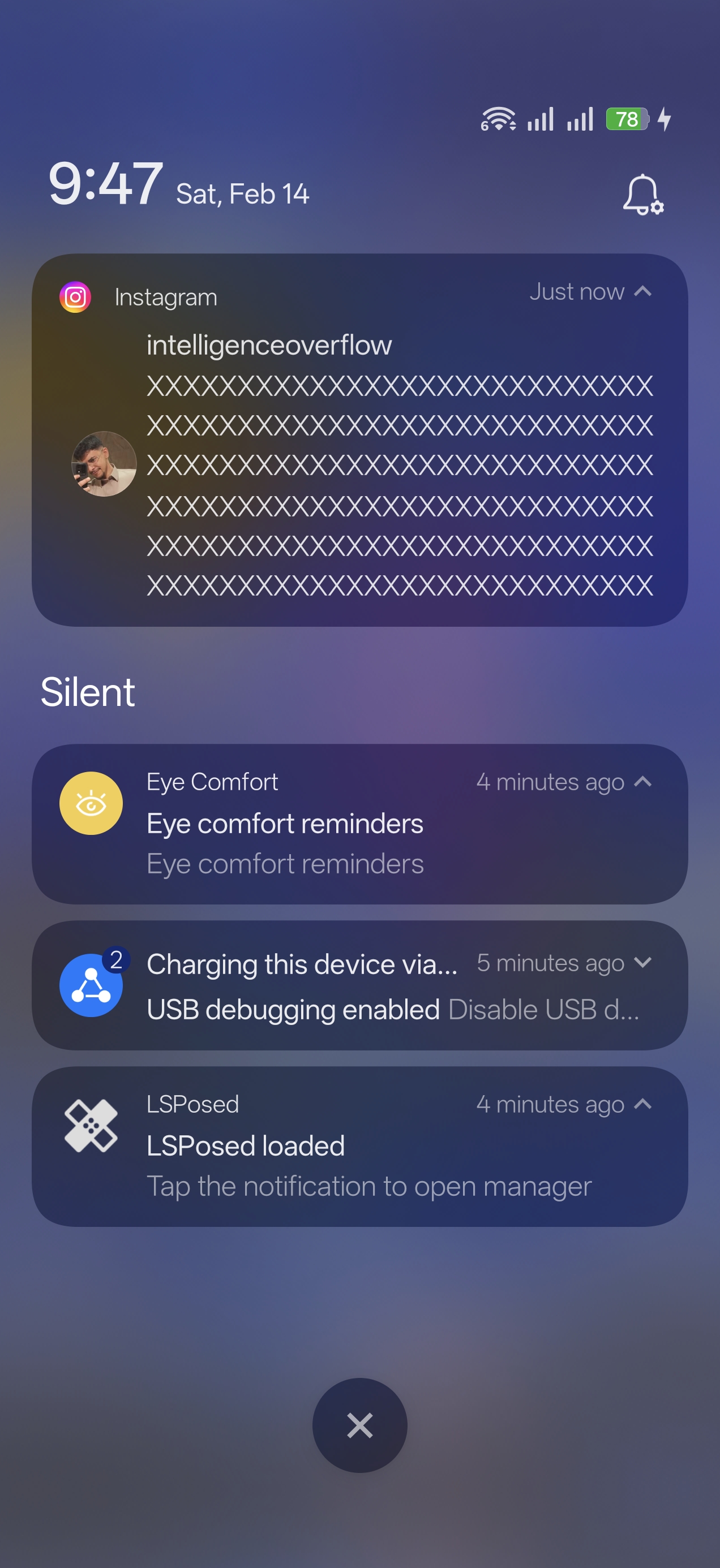 |
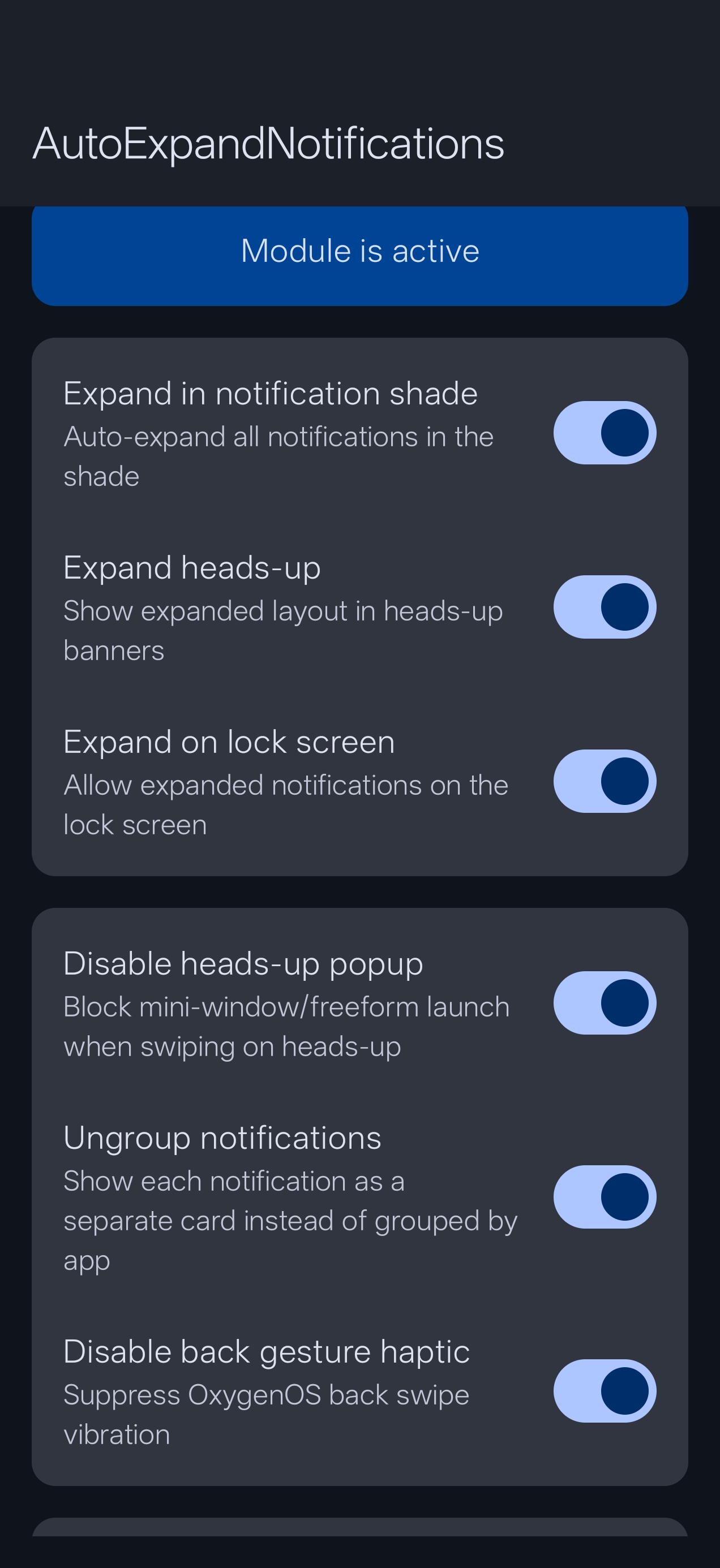 |
Features
Auto-Expand in Notification Shade
Automatically expand all notifications when you pull down the notification shade. See full message text and action buttons (Reply, Mark as read, Mute) without tapping each notification.
Auto-Expand Heads-Up Notifications
Incoming notification banners at the top of your screen arrive fully expanded. See the complete message and action buttons immediately. Swipe down to collapse, swipe down again to expand.
Auto-Expand on Lock Screen
Notifications on the lock screen appear expanded by default, showing full content. Can be disabled for privacy.
Disable Heads-Up Popup
Prevents the mini-window/freeform launch when swiping down on a heads-up notification. Instead, swiping down toggles between expanded and collapsed views.
Ungroup Notifications
Shows each notification as a separate card instead of grouping them by app. Never miss a message buried inside a collapsed group.
Mute Back Gesture Haptic
Disables the vibration feedback when using the back swipe gesture, while keeping all other haptic feedback intact.
App Exclusion List
Choose specific apps whose notifications should NOT be auto-expanded. Exclusions apply across all three notification modes (shade, heads-up, and lock screen).
Keyboard Enhancer (Gboard Toolbar) — New in v1.2.0
Injects a customizable toolbar below Gboard with four buttons:
- Clipboard — Tap to open a scrollable clipboard history popup. Entries are pinned/unpinned with a long-press. History is stored locally with a configurable size limit.
- Select All — Tap to select the last word; long-press to select all text in the field.
- Cursor Navigation — Jump the cursor to the start or end of the text field.
- Text Shortcut — Tap/long-press to insert preset text snippets.
Toolbar height is adjustable via a slider in the settings app. Each button can be individually enabled or disabled.
Requirements
- OnePlus device running OxygenOS 16 (Android 16)
- Root access (Magisk / KernelSU / APatch)
- LSPosed framework (Irena or compatible fork)
- Zygisk enabled
Installation
- Download the latest APK from Releases
- Install the APK
- Open LSPosed Manager > Modules > Enable AutoExpandNotifications
- Ensure System UI and Gboard are checked in the module scope
- Reboot your device
- Open the app to configure features
Tested On
| Device | OS Version | Status |
|---|---|---|
| OnePlus 15 | OxygenOS 16.0.3.501 (Android 16) | Fully Working |
Note: This module was built and tested specifically for OxygenOS 16. It may work on other OxygenOS versions or OnePlus devices, but compatibility is not guaranteed. Contributions to support more devices are welcome!
FAQ
Q: Do I need to reboot after changing settings? A: Yes, a reboot is required for toggle changes to take effect since hooks are loaded at boot time.
Q: Will this cause a bootloop? A: The module uses extensive error handling (try-catch on all hooks). If something fails, it fails silently. However, it’s always recommended to have bootloop protection in place.
Q: Can I use this with Oxygen Customizer? A: Yes, they should work together without conflicts since they hook different parts of SystemUI.
Q: The keyboard toolbar doesn’t appear after enabling it. A: Force-stop Gboard after enabling the toolbar in the settings app, then open any text field.
Contributing
Contributions are welcome! If you’ve tested this on a different OnePlus device or OxygenOS version, please open an issue to report compatibility.
Contact
- Telegram: @kvmy1
License
This project is licensed under the GPL-3.0 License - see the LICENSE file for details.
Disclaimer
This module modifies SystemUI and Gboard behavior through Xposed hooks. While extensively tested, I am not responsible for any issues that may arise from using this module. Always maintain a backup and have bootloop protection in place.
Package
io.github.kvmy666.autoexpand