A Gboard toolbar with a clipboard vault (text + images), shortcuts, cursor/trackpad tools, select mode and screenshot capture — delivered as a standalone LSPosed module.
Gboard+ was extracted from [Auto Expand] so the Gboard feature lives in its own module with an isolated scope, preferences and storage. Both modules can be installed at the same time without fighting over Gboard.
Not affiliated with Google. "Gboard" is a trademark of Google LLC.
- Toolbar row above the keyboard, sized to your layout.
- Buttons: Clipboard, Paste, Select-all (tap = word · long-press = field), Cursor nav, Trackpad stick, Select-mode toggle, Text shortcut (tap/long-press).
- Clipboard vault: history, pin, favourite, search, capacity limit, full-text/one-line rows.
- Image vault: save copied images, dedup by hash, entry + byte budgets.
- Screenshots: auto-capture into the vault; optionally push to the clipboard.
- Undo: shake-to-undo and/or an Undo button, with sensitivity.
- Haptics: vibration strength, trackpad haptics and sensitivity.
- Liveness card: tells you whether the module is actually loaded in Gboard, with a one-tap restart.
- Auto Expand handoff: if AE's Gboard tweak is still on, Gboard+ removes AE's toolbar row and offers a one-tap (root) takeover.
The strip above the keyboard. Every demo below loops on its own — no need to press play.
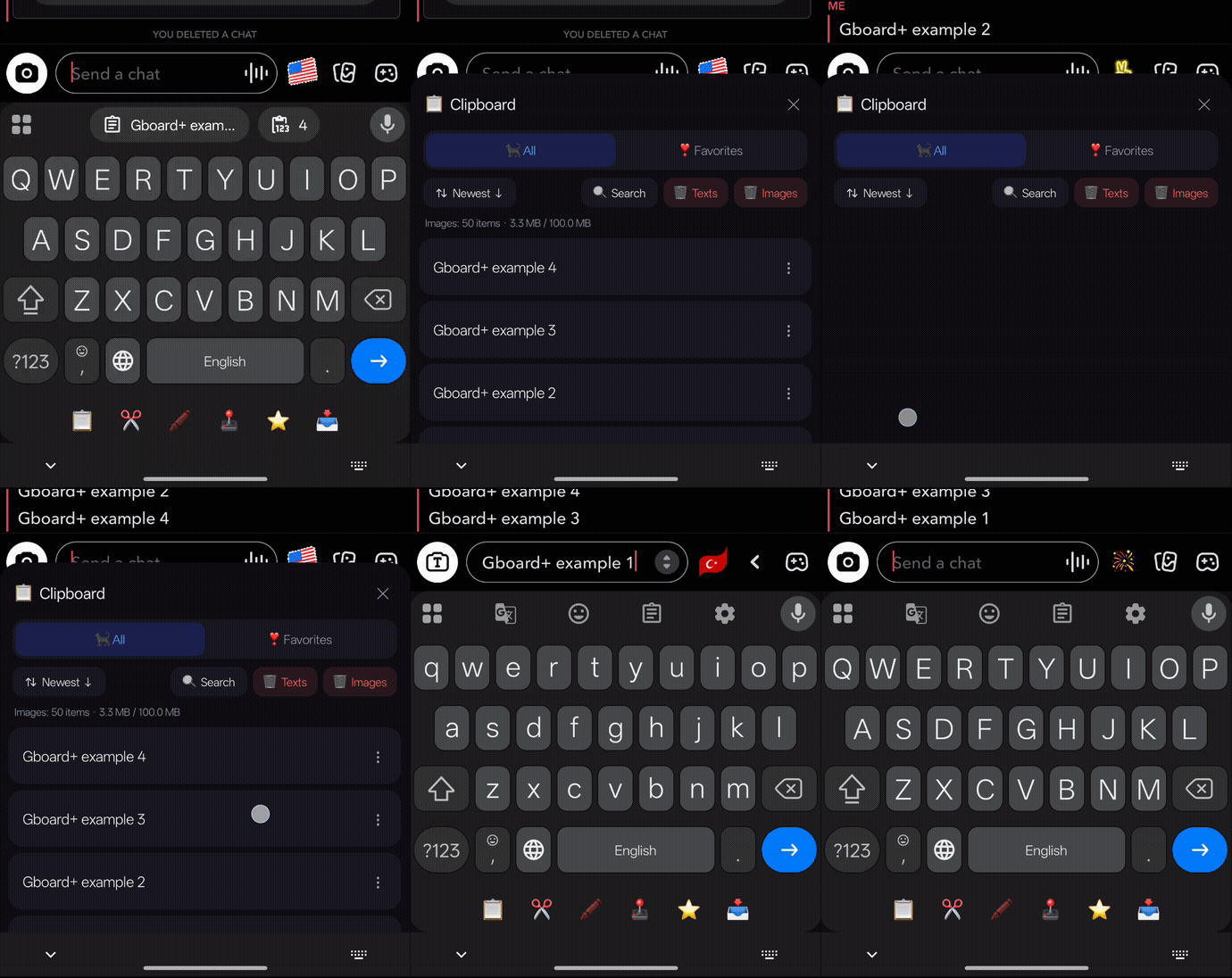
Opens the clipboard vault — a history of everything you copied (text and images) with pin, favourite, search and delete.
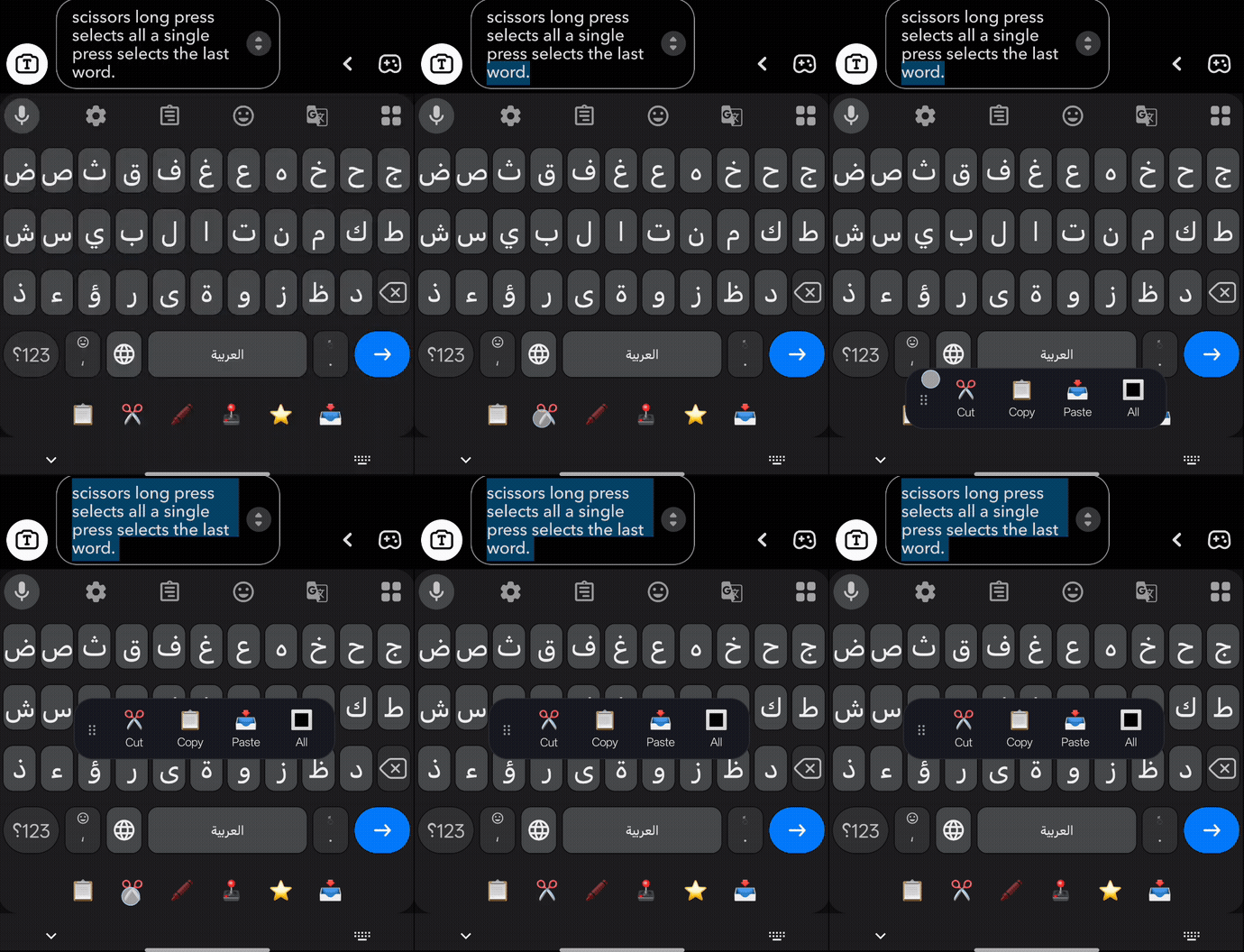
A single tap selects the last word; a long-press selects everything. Opens the Cut / Copy / Paste / Share bar.
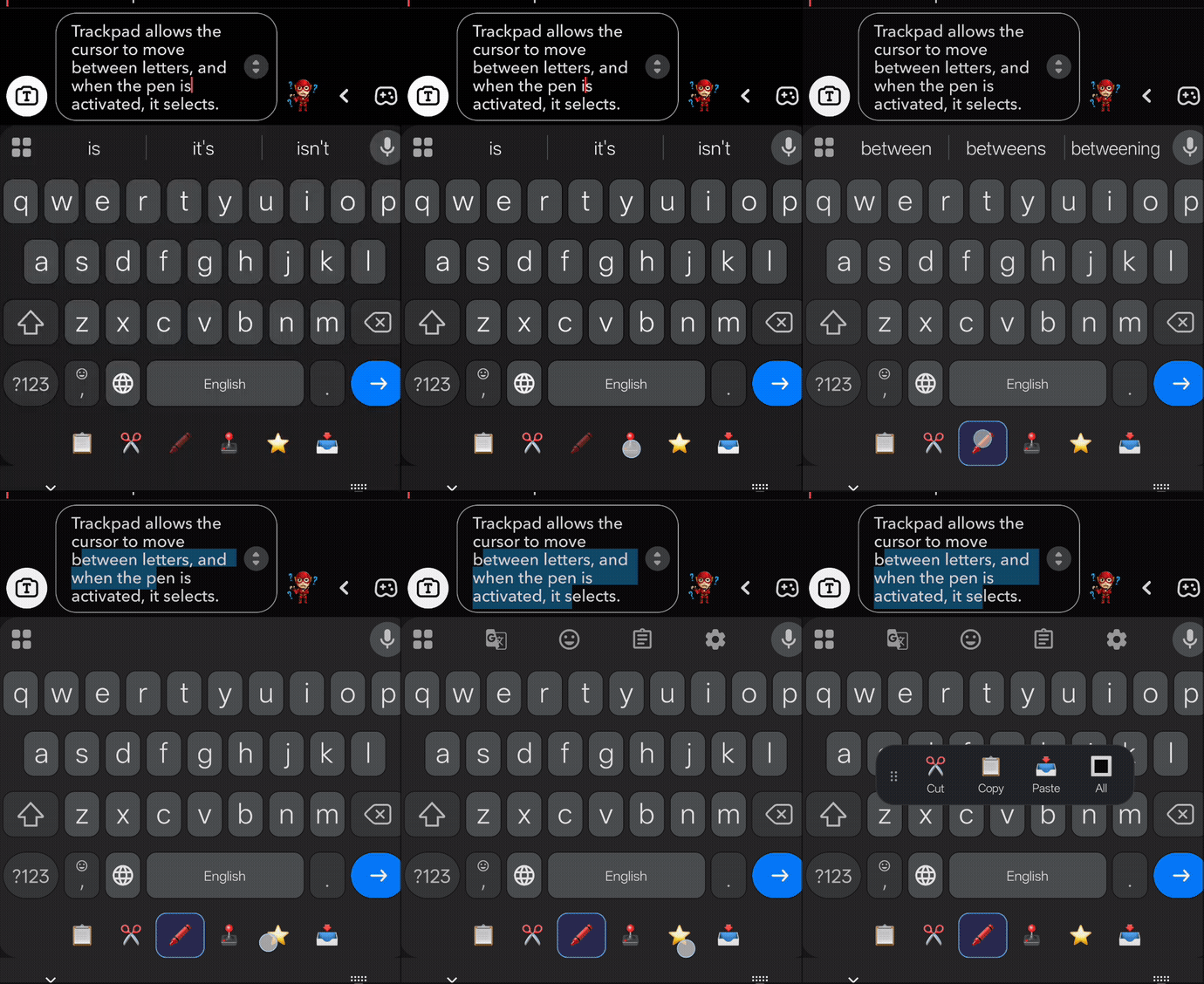
Drag to move the cursor letter-by-letter. Turn on the pen (🖍️ select mode) and the same drag highlights a selection instead.
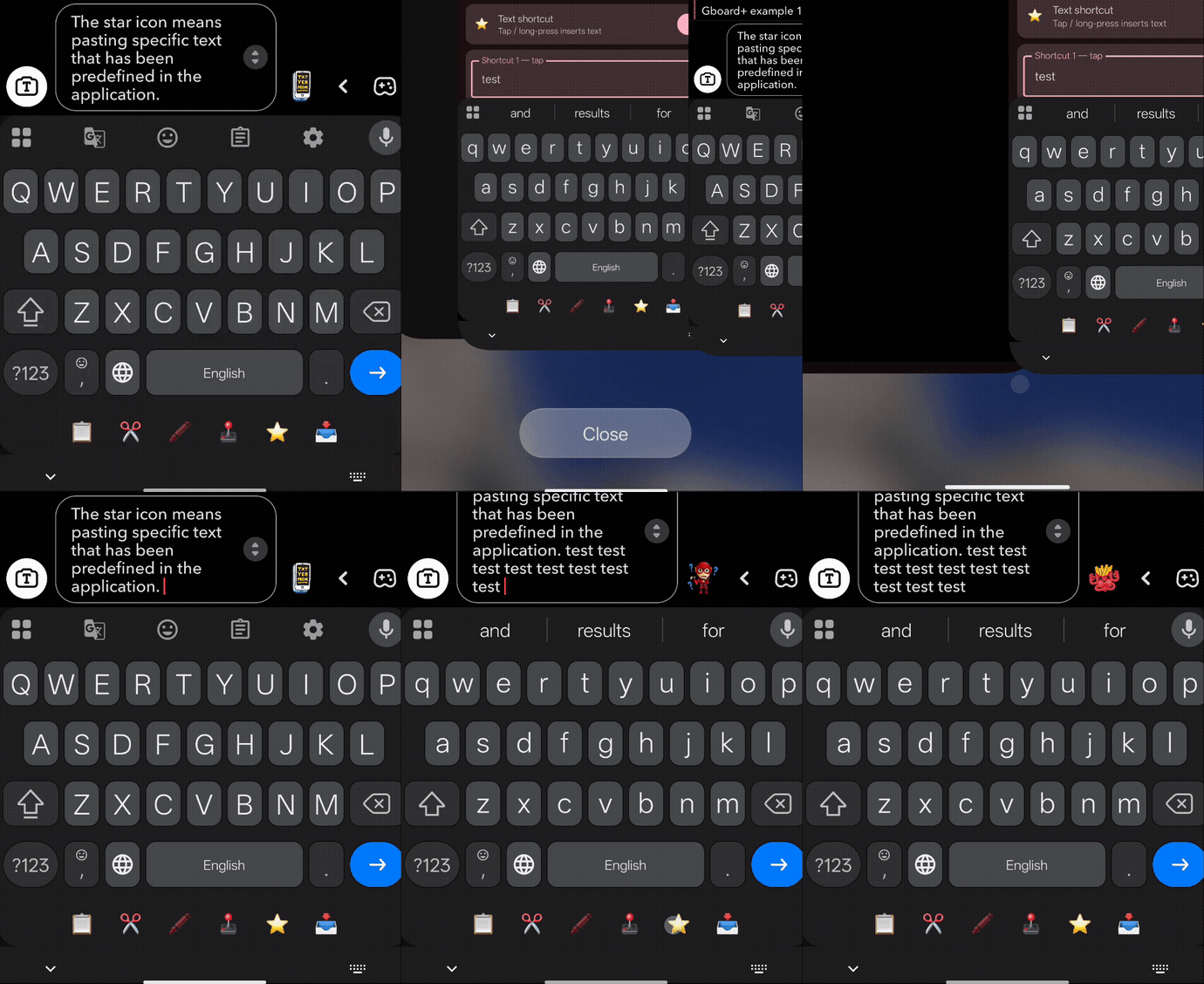
Inserts text you predefined in the app — tap inserts shortcut 1, long-press inserts shortcut 2.
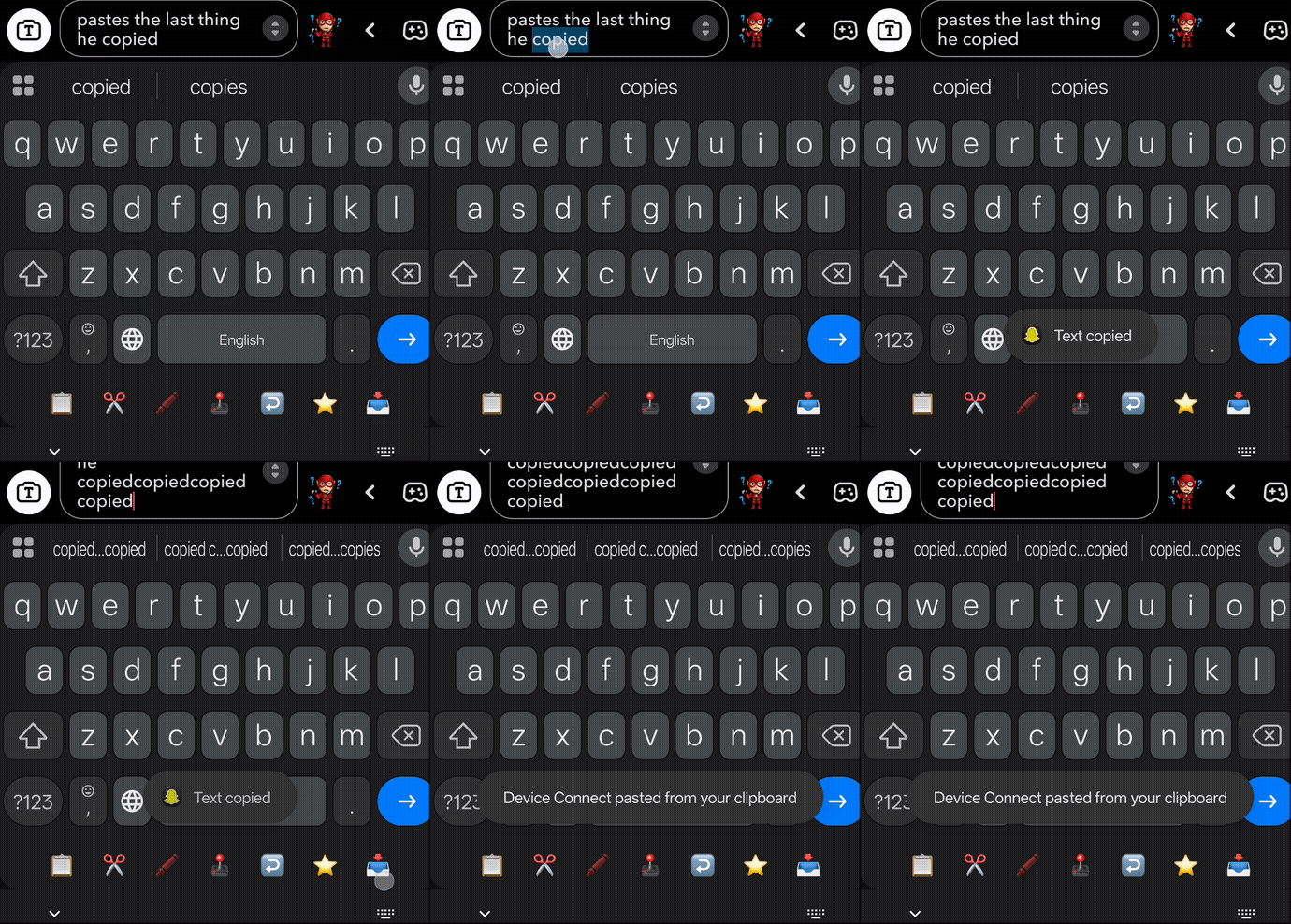
Pastes the last thing you copied. If the newest vault entry is an image or screenshot, it pastes that image instead.
- Rooted device with LSPosed (Zygisk/Riru).
- Android 15+ (verified on Android 16 / OxygenOS), arm64-v8a.
- Gboard installed (verified against 18.4.1).
- Root is optional: the core toolbar, vault, images and screenshots work without it. Root only unlocks automatic force-stop reload and the one-tap AE takeover.
- Install the APK.
- Open LSPosed Manager → Modules, enable Gboard+.
- In Scope, select Gboard (
com.google.android.inputmethod.latin) only, then reboot. - Open the Gboard+ app. If the card says not loaded, tap Force stop Gboard (root) or Open Gboard app info → Force stop, then open the keyboard once.
- Report a bug / ask a question: Telegram @kvmy1
- Issues: open an issue — include your device, Android
version, Gboard version, and
adb logcat -s GboardPlus.
Personal project. See repository for terms.