Brief and detailed notifications on the Always-On Display of ColorOS 17, in the style of One UI.
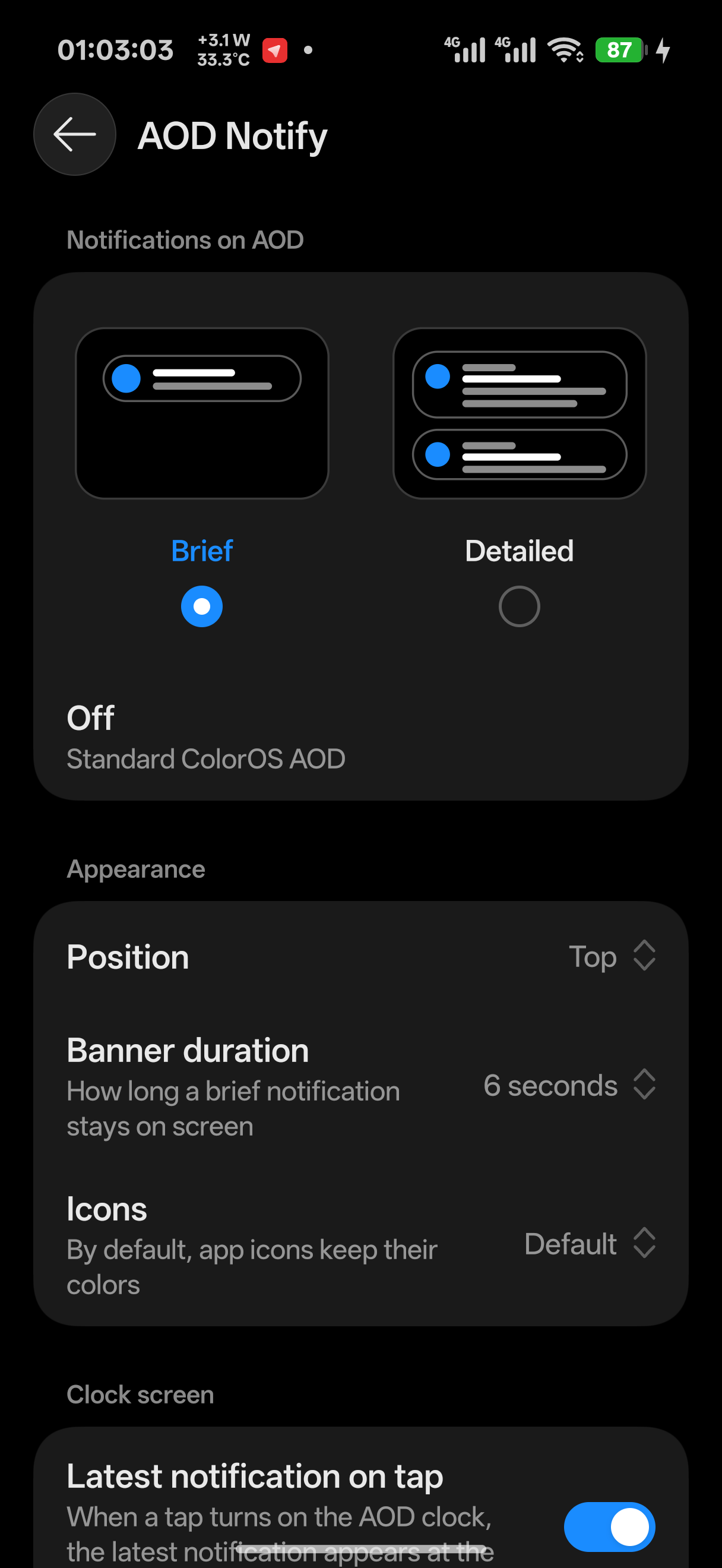
- Brief: a ColorOS-style banner with a One UI animation shows each new notification for a few seconds.
- Detailed: notification cards stay on the AOD, up to four at a time.
- Position, banner duration, colored or monochrome icons.
- Latest notification on tap: when power saving has hidden the AOD clock and you tap the screen, the latest notification shows with the clock.
- Nothing is shown while the phone is in a pocket.
- Respects the system setting that hides lock screen content, and private apps.
- Settings screen made of the real ColorOS components, and a Notifications row in Settings → Home screen, Lock screen & style → Always-On Display → Display settings.
- The interface follows the system language (67 languages).
- ColorOS 17. Tested on a OnePlus 15T (China ROM), AOD app 17.001.0021.
- LSPosed 2.x with libxposed API 101 or newer.
- Install the APK and enable the module in LSPosed.
- Scope: System UI and Always-On Display (
com.oplus.aod). The second is only needed for the row in system settings; the module asks for it on first launch. - Restart System UI (or reboot) after installing or updating.
- Open AOD Notify and pick a mode.
To undo everything, disable the module and restart System UI.
https://github.com/Makish003/AodNotify (GPL-3.0)
在 ColorOS 17 的息屏显示上以简洁或详细样式显示通知,效果类似 One UI。
- 简洁:新通知以 ColorOS 风格的横幅显示几秒,带有 One UI 式动画。
- 详细:通知卡片常驻息屏,最多同时显示四张。
- 可设置位置、横幅显示时长,图标可保留原色或使用单色。
- 轻触显示最新通知:省电模式隐藏息屏时钟后轻触屏幕,最新一条通知会随时钟一起显示。
- 手机放在口袋中时不显示任何内容。
- 遵循系统的锁屏隐藏通知内容设置和隐私应用。
- 设置界面使用 ColorOS 原生组件,并在 设置 → 桌面、锁屏与个性化 → 息屏显示 → 显示设置 中添加 通知 入口。
- 界面语言跟随系统(67 种语言)。
- ColorOS 17。已在一加 15T(国行版)、息屏应用 17.001.0021 上测试。
- LSPosed 2.x,libxposed API 101 或更高版本。
- 安装 APK,并在 LSPosed 中启用模块。
- 作用域:系统界面 和 息屏(
com.oplus.aod)。后者仅用于系统设置中的入口,模块首次启动时会自动请求。 - 安装或更新后重启系统界面(或重启手机)。
- 打开 AOD Notify 并选择模式。
如需恢复原状,在 LSPosed 中停用模块并重启系统界面即可。