Customize the collapsed Now Bar capsule background on Samsung One UI 8.0+ (Lock Screen)
LSPosed Module for Samsung Galaxy Devices
Now Bar Color is an advanced LSPosed module designed for Samsung Galaxy devices running One UI 8.0 and above (tested up to One UI 9.0+). It gives you complete control over the background styling of the collapsed Now Bar capsules on the lock screen—allowing you to apply solid colors, blur effects, smooth gradients, and adaptive wallpaper color palettes without altering album artwork, notification icons, text colors, or native system animations.
It features a companion configuration app built with a native One UI interface, interactive live capsule previews with dynamic audio waveforms, per-category toggles, and independent opacity sliders. Under the hood, deep hooks in SystemUI and FaceWidget/AOD ensure zero-lag, instant styling from frame 0 with complete suppression of Samsung's default chip gradient overlays.
Examples showing how custom colors blend dynamically with various lock screen wallpapers and categories:
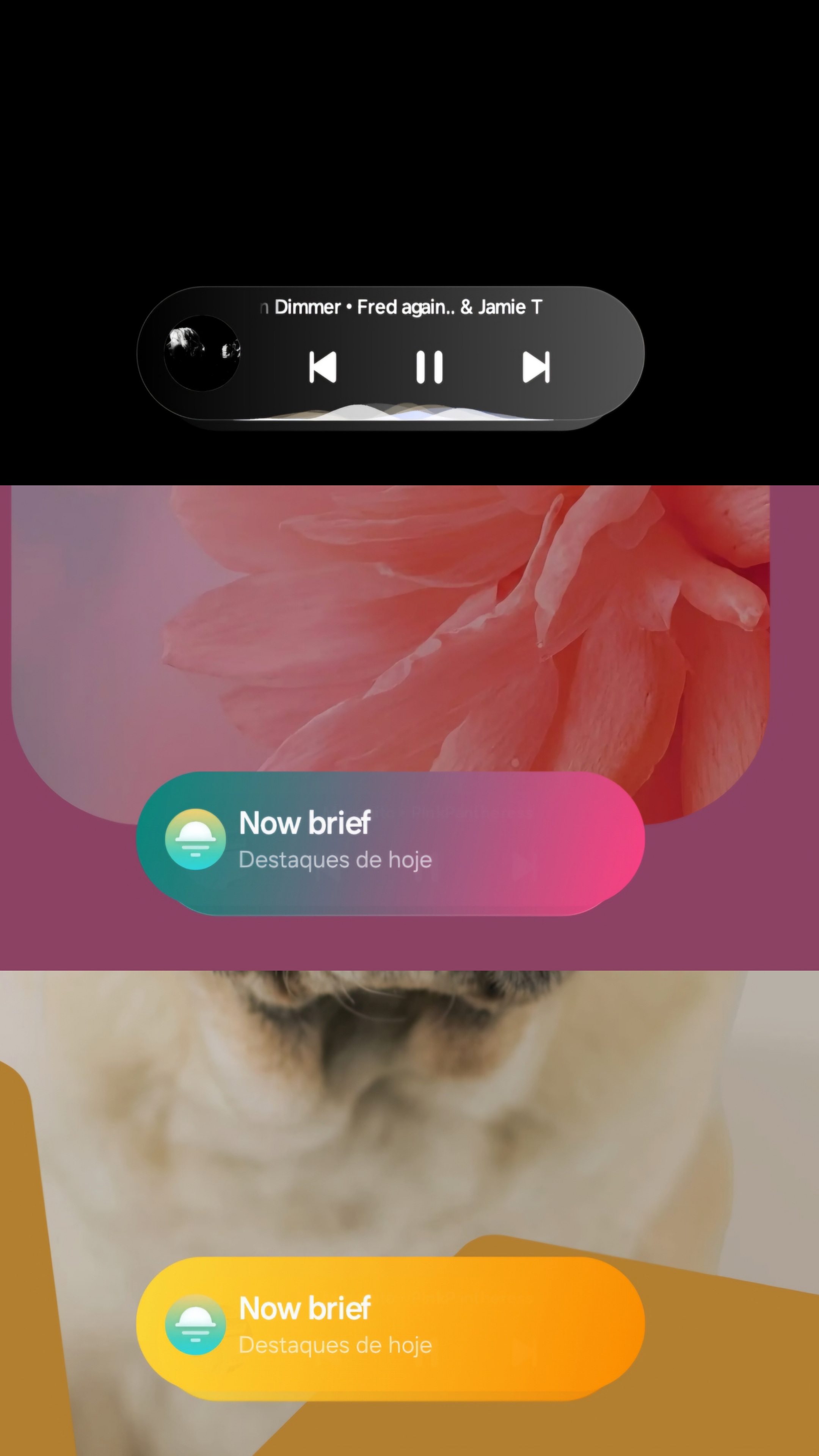
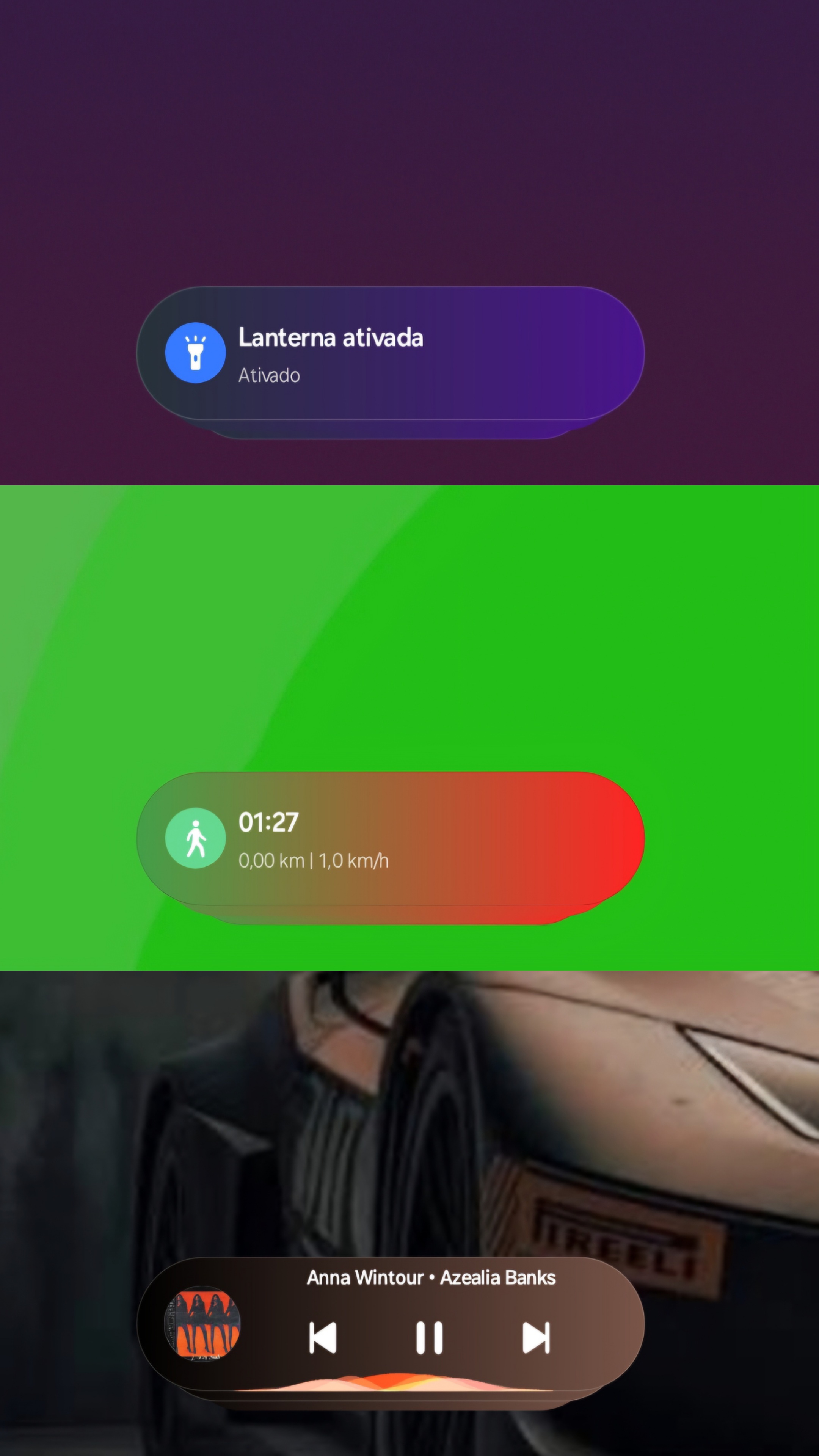
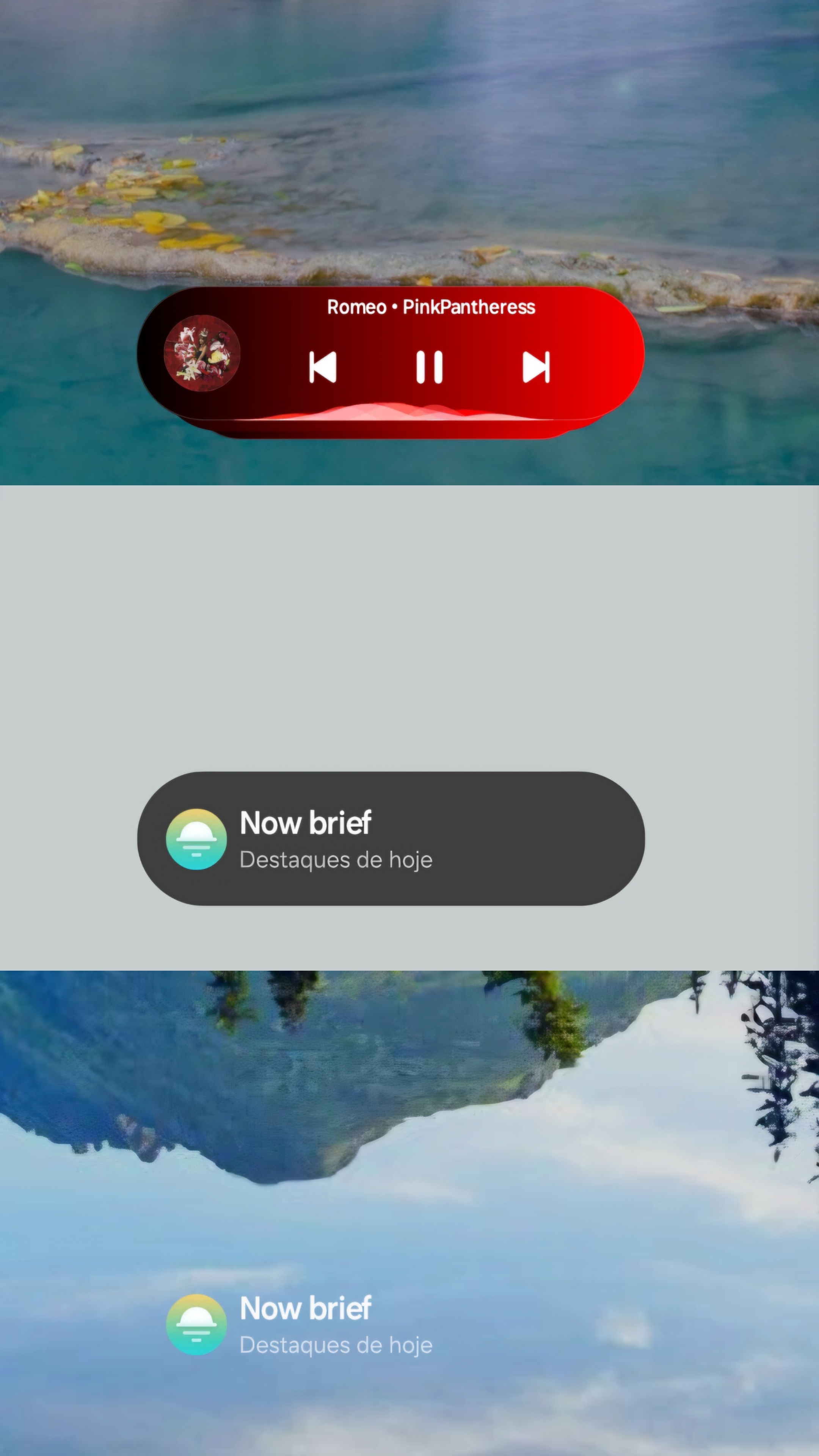
- Visual Finish Options:
- Pure Solid Color: Vibrant, high-contrast backgrounds with subtle smooth gradient blending.
- Color Blur: Translucent frosted-glass blur effect with adaptive color mixing.
- Adaptive Wallpaper Palette Extraction:
- Bottom Zone: Accurately detects and applies the exact color sampled from the wallpaper where the Now Bar rests.
- Monet Accent: Uses the system's dynamic Material You color scheme.
- Dominant Background: Matches the overall primary lock screen tone.
- Granular Per-Category Control:
Each Now Bar activity capsule has its own dedicated switch and independent opacity control:
- Music & Media Playback (
NowBarMediaCardView) - Now Brief / AI Suggestions (
NowBarBriefCardView) - Live Battery & Charging (
NowBarBatteryCardView) - Clock, Timer & Stopwatch
- Flashlight
- Voice Recorder & Audio Memos
- Ongoing Phone Calls
- Modes & Routines
- Music & Media Playback (
- Zero-Lag Hot Creation (Frame-0 Styling):
- Deep hooks in
NowBarCardStackView(addViewandq) intercept newly created capsules in real time. - Full suppression of Samsung's native notification chip gradient overlay (
NowBarCardGradientView), ensuring that suddenly triggered capsules (such as turning on the flashlight while on the lock screen) render with your custom palette from the very first frame without flicker or needing a screen cycle.
- Deep hooks in
- Native One UI Companion App:
- Built-in live preview showing real-time audio waveforms, playback controls, and background changes.
- Interactive HSV color picker and native One UI sliders.
- Samsung Galaxy devices running One UI 8.0 and above (One UI 8.0, 8.5, and One UI 9.0+).
- Root Access: Magisk v26+, KernelSU, or APatch.
- LSPosed Framework: Modern Zygisk release or JingMatrix fork.
This module targets and was developed against Samsung's AlwaysOnDisplay version 8.9.65.48 (which originates from One UI 9).
- If you are already running One UI 9.0+: No extra steps are needed. Simply install
NowBarColor.apkand activate it in LSPosed. - If you are running One UI 8.0 or One UI 8.5:
AlwaysOnDisplay_8.9.65.48does not work natively on One UI 8.x and will cause system crashes unless patched. You must follow the tutorial below before installing Now Bar Color.
If you are running One UI 8.0 or 8.5, install the prerequisites in this exact sequence:
- Install
AlwaysOnDisplay_8.9.65.48.apk:- Download the APK from the Releases section.
- Install it as an update to the system Always On Display app.
- Install
LockScreenFix_OU9_2.1.6.apk:- Download the companion LSPosed module developed by TAVATAAN from Releases or from the repository
compatibility/directory. - This module stabilizes AOD v8.9.65.48 and bridges missing framework APIs on One UI 8.x.
- Download the companion LSPosed module developed by TAVATAAN from Releases or from the repository
- Activate
LockScreenFixin LSPosed:- Open the LSPosed app and enable the LockScreenFix module.
- Recommended scope:
System UI(com.android.systemui) andAlways On Display(com.samsung.android.app.aodservice). - Restart System UI (
su -c killall com.android.systemui) or reboot the device. Ensure your lock screen and AOD operate normally.
- Install
NowBarColor.apk:- Download
NowBarColor.apkfrom Releases. - Activate it in LSPosed with the same scope (
System UIandAlways On Display). - Restart System UI.
- Open the Now Bar Color app from your launcher to customize your colors and styles!
- Download
(Note: Users already on One UI 9.0+ can skip steps 1-3 and install NowBarColor.apk directly).
All necessary APK files are available on the Releases page:
| File | Description | Required For |
|---|---|---|
NowBarColor.apk |
Main Now Bar Color customization module | All users |
LockScreenFix_OU9_2.1.6.apk |
Companion stabilization module by TAVATAAN | One UI 8.0 / 8.5 users only |
AlwaysOnDisplay_8.9.65.48.apk |
Samsung AOD v8.9.65.48 base package | One UI 8.0 / 8.5 users only |
The repository includes a lightweight, self-contained Python build script (build.py) compatible with Linux/Android (Termux/AGY) and desktop environments with Android SDK tools:
# 1. Clone the repository
git clone https://github.com/TAVATAAN/OneUI-Now-Bar-Color.git
cd OneUI-Now-Bar-Color

# 2. Build and sign the APK
python3 build.py
The signed APK will be generated at:
build/NowBarColor.apk
├── AndroidManifest.xml          # Package definition, permissions, and LSPosed metadata
├── assets/                      # Module bootstrap (xposed_init) and assets
├── compatibility/               # Stabilization APK and guide for One UI 8.x users
├── docs/screenshots/            # Collage preview images
├── meta_xposed/                 # LSPosed repository metadata (module.prop, scope.list)
├── res/                         # UI resources (layouts, strings, launcher icons, themes)
├── src/io/github/tavataan/nowbarcolor/
│   ├── MainActivity.java        # One UI settings activity with Live Preview & HSV Pickers
│   ├── NowBarHook.java          # Core LSPosed hooking engine for SystemUI & FaceWidget/AOD
│   ├── CapsuleGradient.java     # Adaptive GradientDrawable tracking internal state mutations
│   ├── CapsuleStyle.java        # Styling pipeline managing Solid, Blur, and Gradient states
│   ├── ReflectionCache.java     # High-performance reflection cache for SystemUI fields/methods
│   ├── ConfigManager.java       # Configuration persistence and per-category data models
│   ├── WallpaperColorHelper.java# Real-time wallpaper color extractor (Monet, Bottom Zone)
│   ├── OneUIMediaCapsuleView.java# Dynamic preview component with live audio waveform bars
│   ├── OneUISwitch.java         # Custom Samsung One UI-styled toggle switch
│   ├── HsvColorPickerView.java  # Touch-responsive HSV color picker
│   └── I18n.java                # Trilingual localization manager (EN, ES, PT)
├── tests/                       # Automated host test suite
└── build.py                     # Standalone compilation and packaging pipeline
If you encounter any bugs, have feature suggestions, or need help with setup, you can reach out through the Telegram group or open an issue on GitHub:
- Telegram Community: https://t.me/tavadump
- GitHub Issues: Report issues or submit pull requests directly on the repository tracker.
This project is licensed under the MIT License. See the LICENSE file for details.
Developed by tavataan (Telegram: @tavadump).