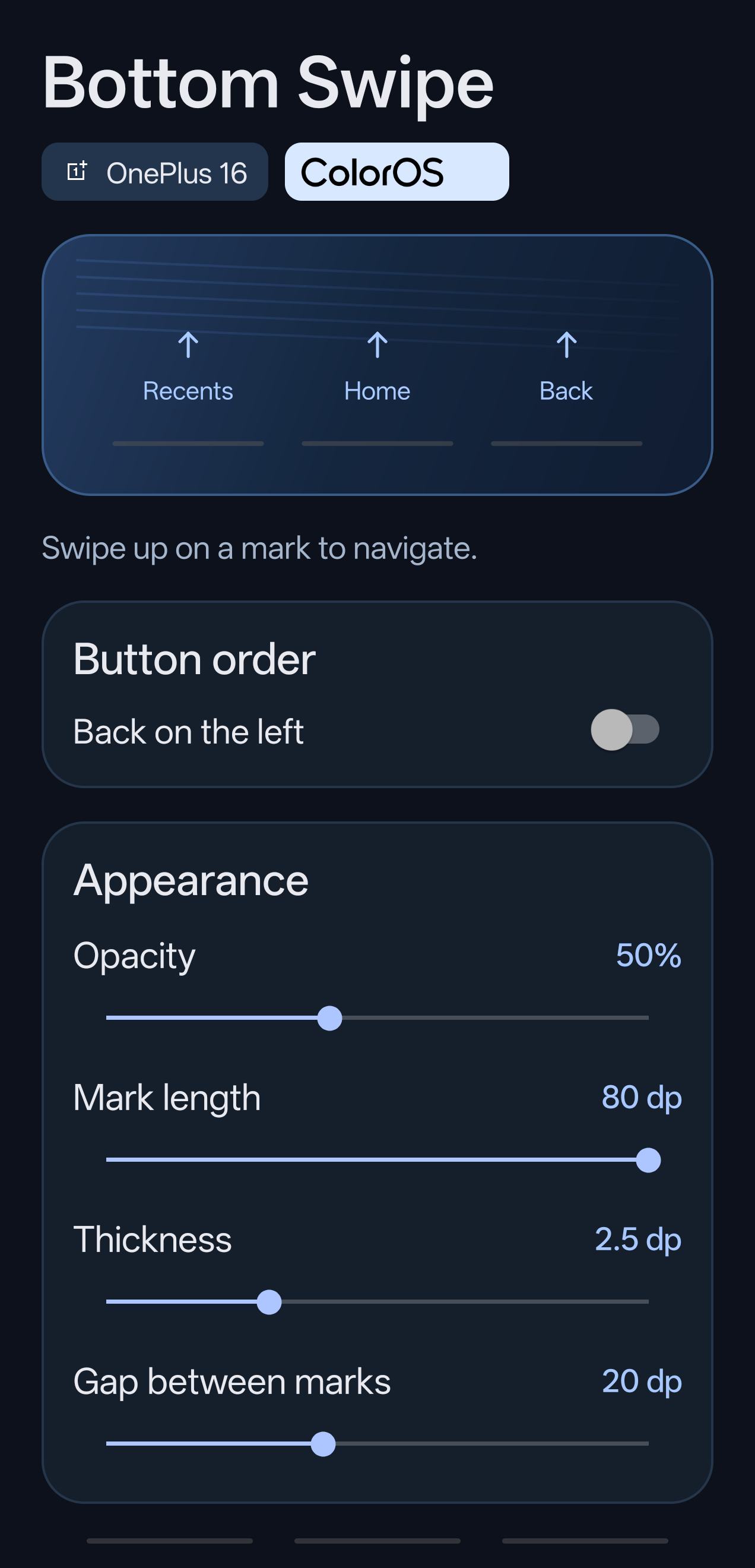
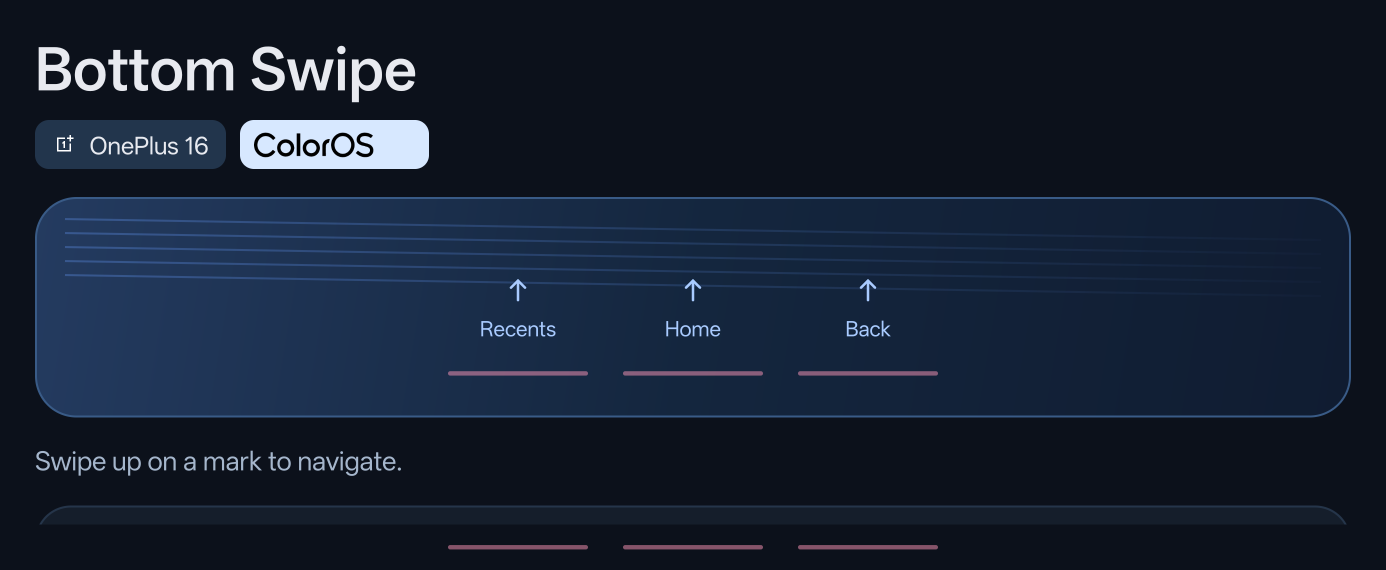
Three horizontal navigation marks for the OnePlus 16. In the default order, swipe up from the left mark for Recents, from the centre for Home, and from the right for Back. A short tap also works. The active mark lifts while you drag, and an optional pulse plays as your finger crosses the swipe threshold.
| Navigation preview and appearance | Colour and vibration controls |
|---|---|
 |
 |
Tested on OnePlus 16 (PYB110), ColorOS 17 / Android 17, build A.44 (PYB110_11.A.44_0440_202610302310), with LSPosed 2.2.1 (libxposed API 102). The public APK can be installed on Android 11 and newer. The navigation hooks activate only on Android 17 when the expected ColorOS System UI interfaces are available.
Other OnePlus models, other ColorOS builds, and OPPO phones are untested. See the official OnePlus 16 specifications and OPPO’s ColorOS 17 overview.
- Download and install
Bottom-Swipe-for-OnePlus.apk. GitHub Releases · LSPosed repository releases - In LSPosed, enable Bottom Swipe for OnePlus, scope it to System UI, and restart System UI or reboot Android.
- Select Buttons in ColorOS System navigation to activate the custom marks. Open Bottom Swipe for OnePlus from the launcher or from the module’s settings in LSPosed. Sliders show changes in the preview as you move them and apply to the system bar when released.
The public release uses the application ID io.github.wiredroid.bottomswipenav. If you used the development build (dev.local.bottomswipenav), disable it in LSPosed before enabling the public build. Disable the old Compact Three-Button Bar KernelSU companion if it is installed. The public APK handles the complete navigation bar. The development and public app IDs have separate settings.
- Button order — place Back on the left or right. Home stays in the centre.
- Appearance — opacity, mark length, line thickness, and equal spacing.
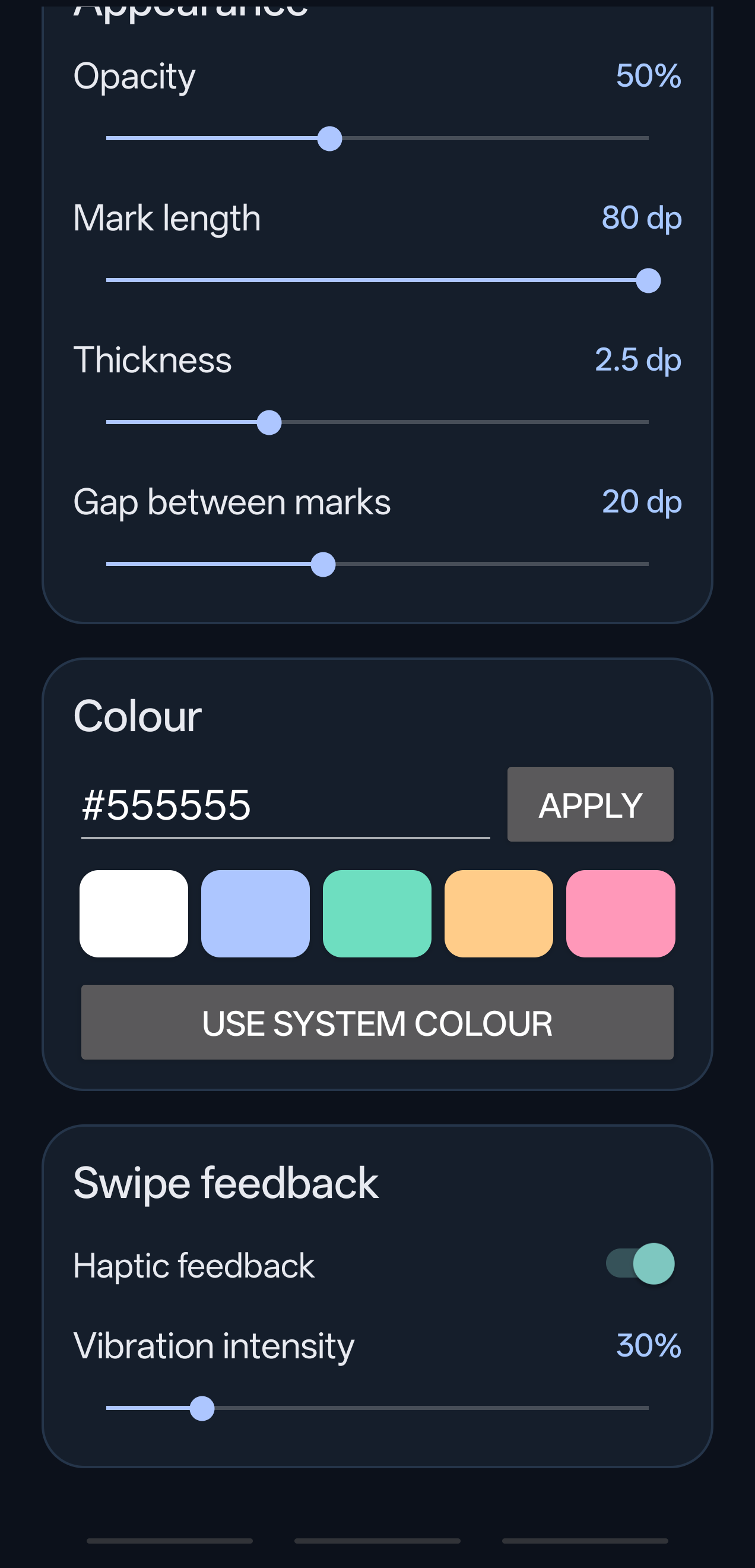
- Colour — presets, automatic system colour, or a custom hex value. Examples are
#ABC,#AABBCC, and#AABBCC80. The final two digits of an eight-digit#value set opacity. - Swipe feedback — turn the pulse on or off and adjust its intensity. The pulse fires at the swipe threshold. Navigation completes on release.
The app saves your choices on the device and applies them to System UI when LSPosed connects. Updates to the same app keep existing preferences.
Buttons activates the three marks along the bottom of the main display in portrait and both landscape orientations. Gestures hands navigation back to ColorOS immediately. If the stock ColorOS handle is hidden, check the ColorOS gesture guide setting and any separate System UI module that customises its opacity or visibility.
Buttons mode reports the full 26 dp navigation inset to apps. Apps that draw edge-to-edge without respecting Android’s navigation insets can still place their content behind system controls.
To restore stock navigation, disable the module in LSPosed and restart System UI or reboot Android.