中文 · English
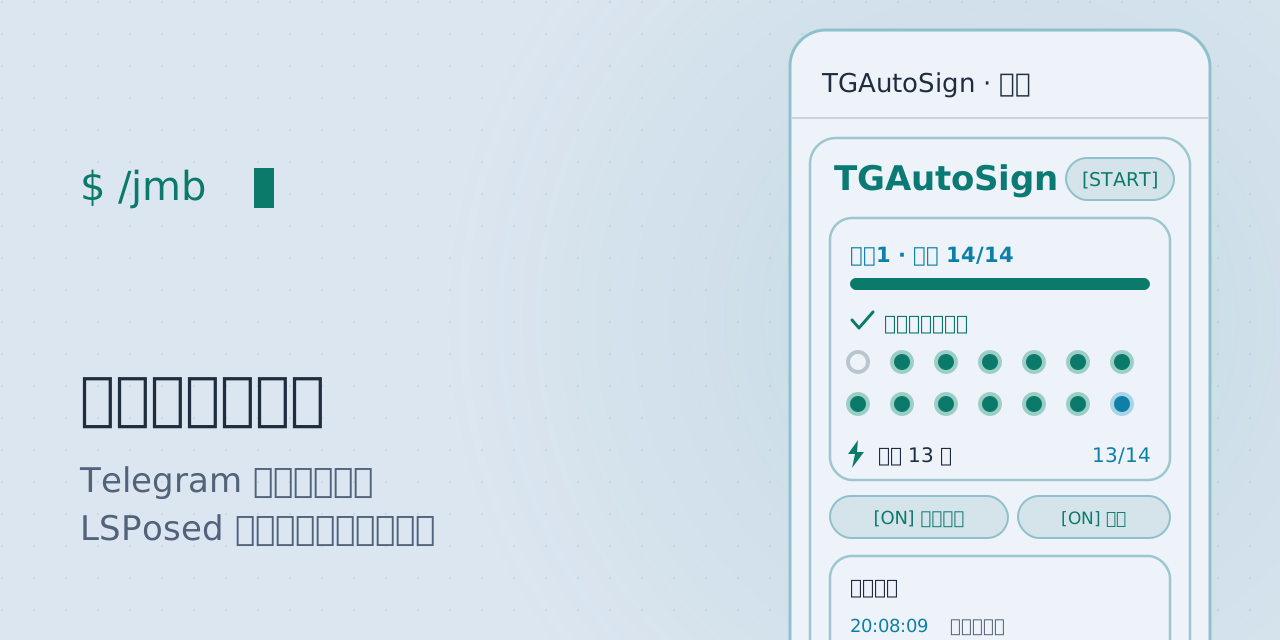
点一次,签一年。 · Tap once. Signed every day.
在 Telegram 里点一下它的签到按钮 —— 之后再也不用管。
回调按钮、文本指令、群签到都支持;签到窗口、断网补签、多账号隔离、限流退避内置。
管理面板就在 Telegram 内 —— 任意聊天发 /jmb。





只从这两个地址下载。第三方站点的转载包请用下方指纹自行比对。
作者 wlmosv · 好用的话 给源码仓库点个 Star
无需账号密码、不碰官方 API、数据全在设备上。
- 唯一联网行为是每 12 小时一次的更新检查,可在设置中关闭,不携带任何签到数据
- 签到目标与已签状态存在 Telegram 进程的本地存储,不离开设备
- 模块不申请存储、通知、安装权限;自动化操作全部在设备侧完成,不经任何中转服务器
验证方式与签名指纹 · Verify the build
官方 APK 签名证书 · official signing certificate
SHA-256  AF:55:24:CD:55:4A:E6:ED:E3:EC:27:47:C7:BE:D1:59
         B0:9B:C4:F6:A4:32:44:A6:8B:46:22:E9:46:32:25:C8
SHA-1    58:A2:B4:D3:F2:83:9A:92:7A:D4:0C:23:51:FE:43:AB:6F:D3:FB:C3
自己核对 · check it yourself
keytool -printcert -jarfile TGAutoSign-*.apk   # 比对上面的指纹
sha256sum TGAutoSign-*.apk                     # 比对 Release 里的 sha256sum.txt
全仓库只有 update/UpdateChecker.java 一个类发起网络连接,可直接审计。
指纹对应 2026-09 起使用的 release key;若将来更换密钥,会在 Release 说明中公告。
⚠️ 风险提示 · Risk notice — 任何 Telegram 自动化都存在账号被限制的可能。本模块采用客户端侧签到、随机时窗与退避策略,已尽可能平滑,但不承诺零风险。
内置 13 套色板,日间/夜间各一。每套在管理面板内即时切换,无需重启。
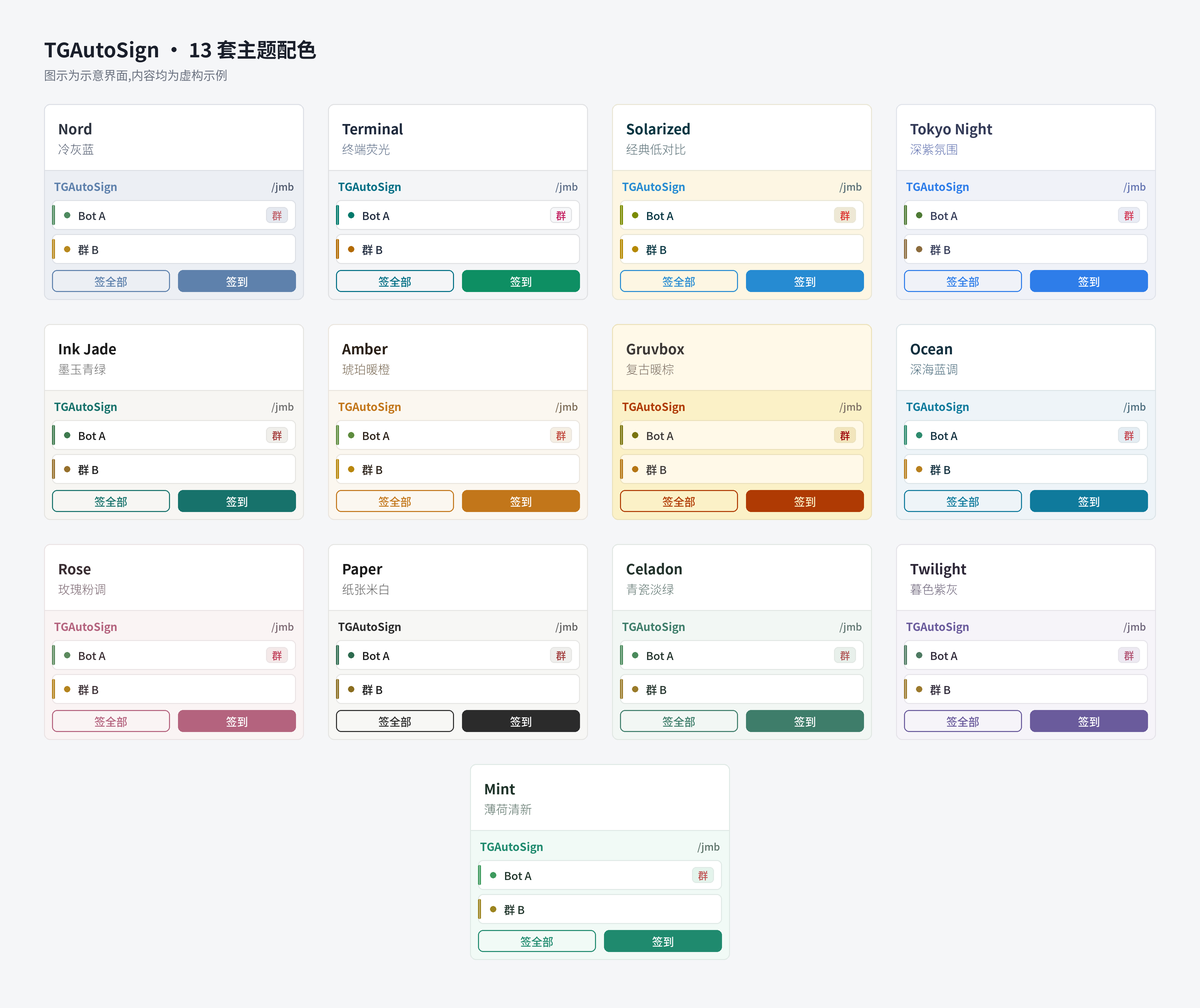
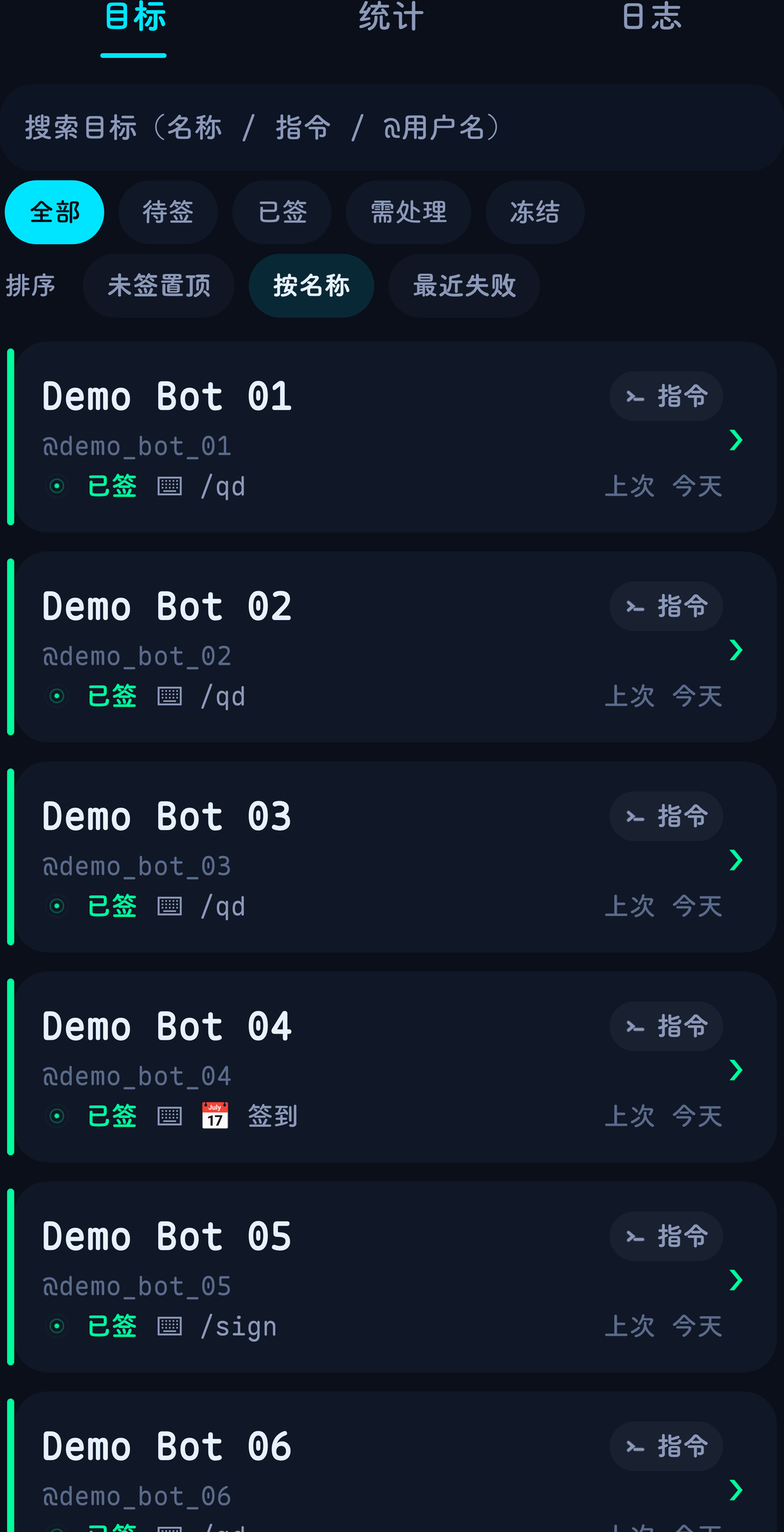
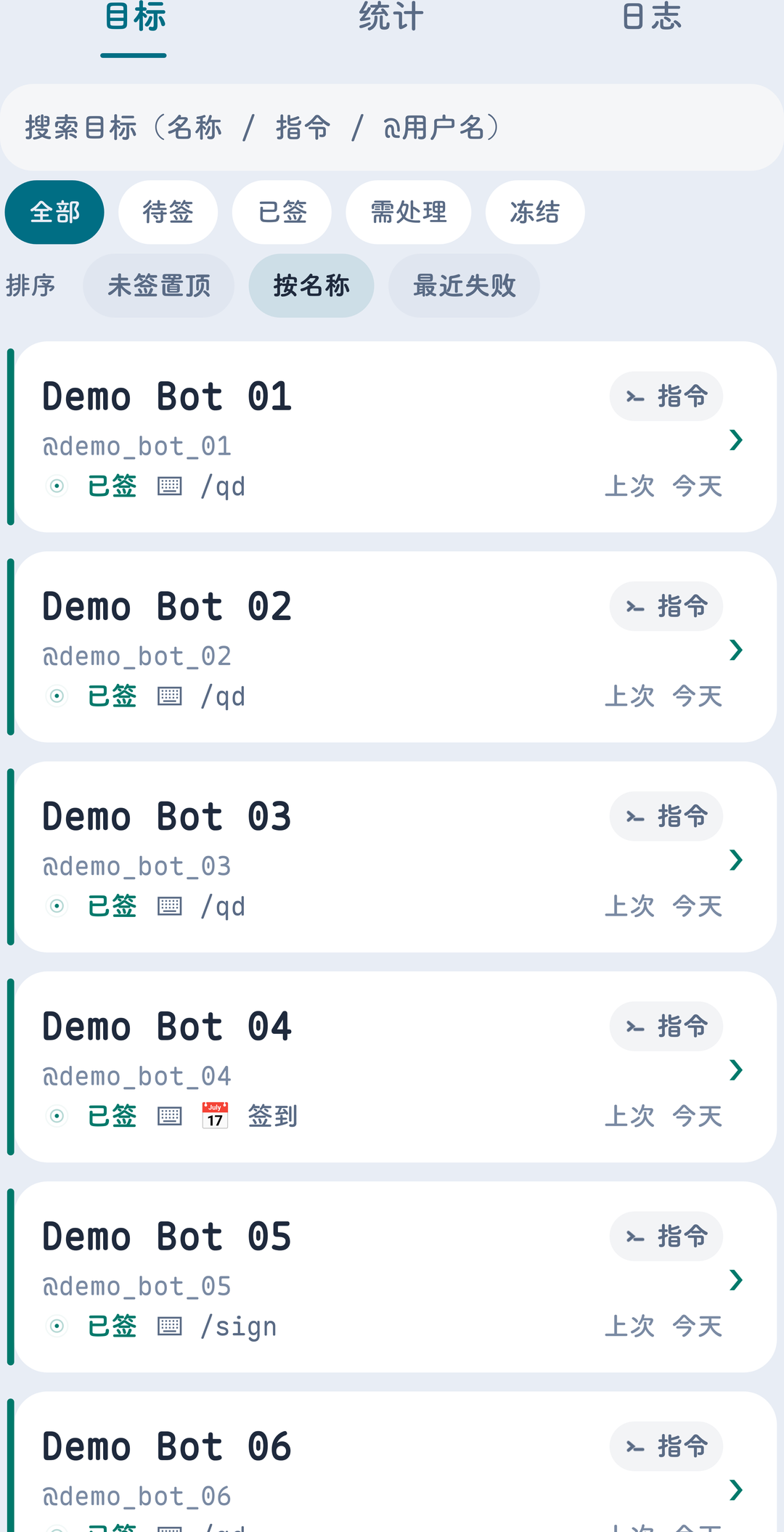
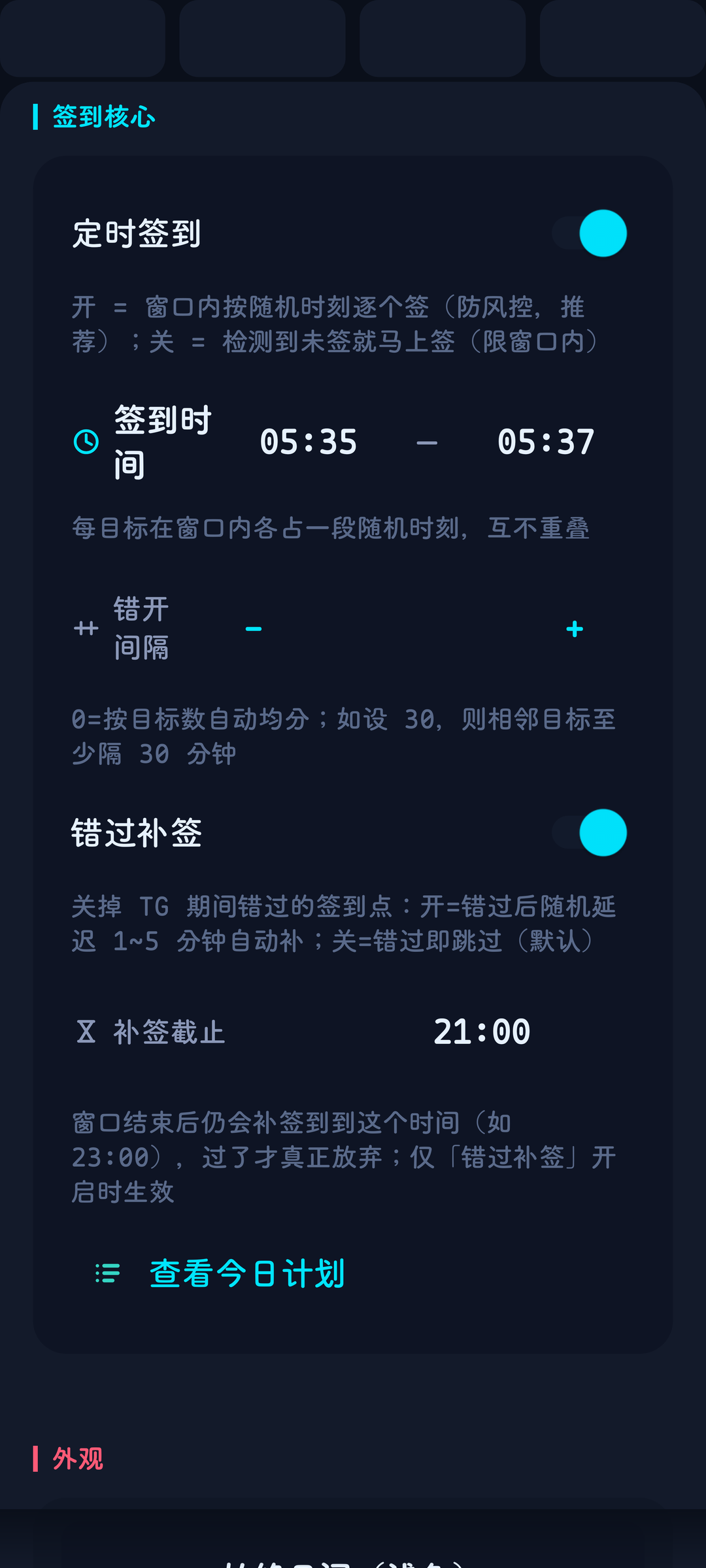
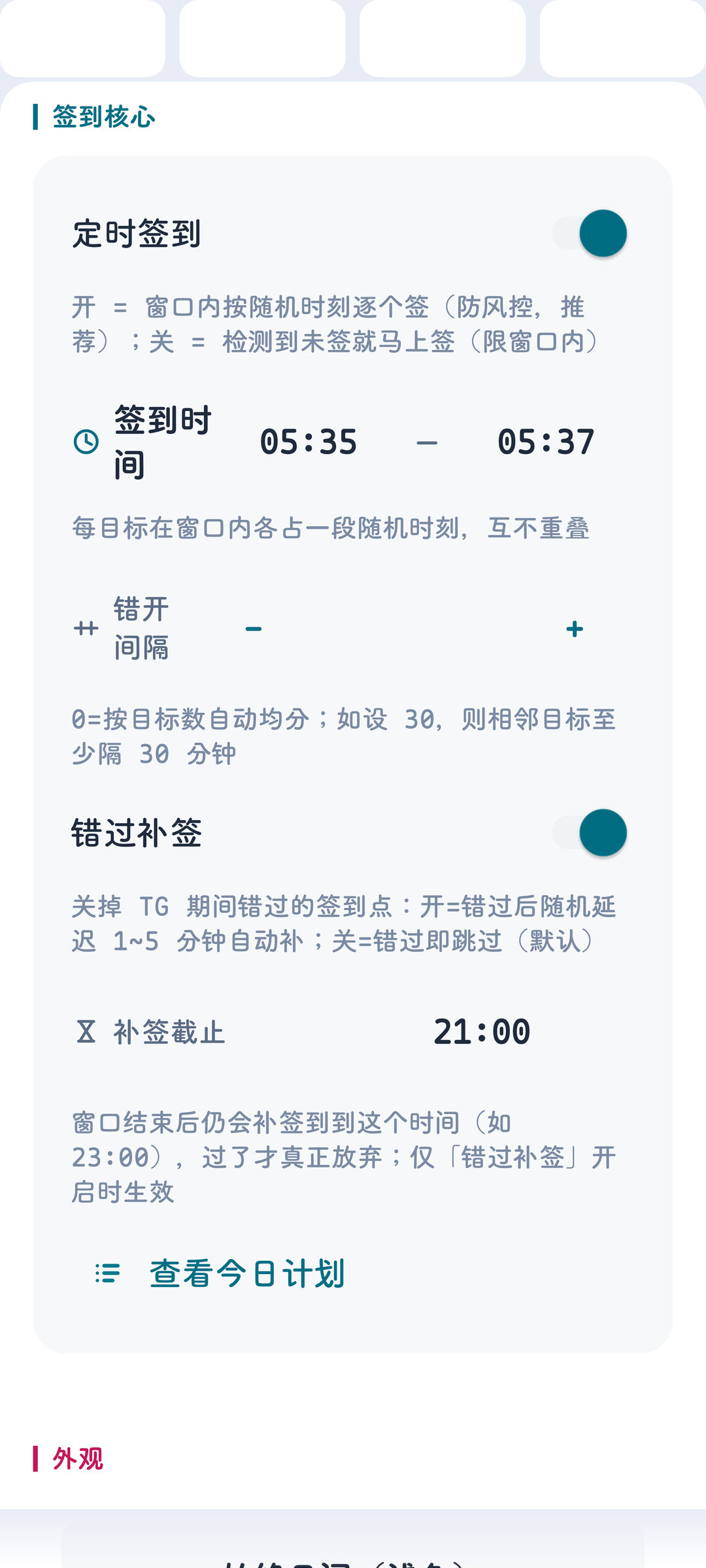
图示为示意界面,内容均属虚构。实际以管理面板中的即时切换效果为准。
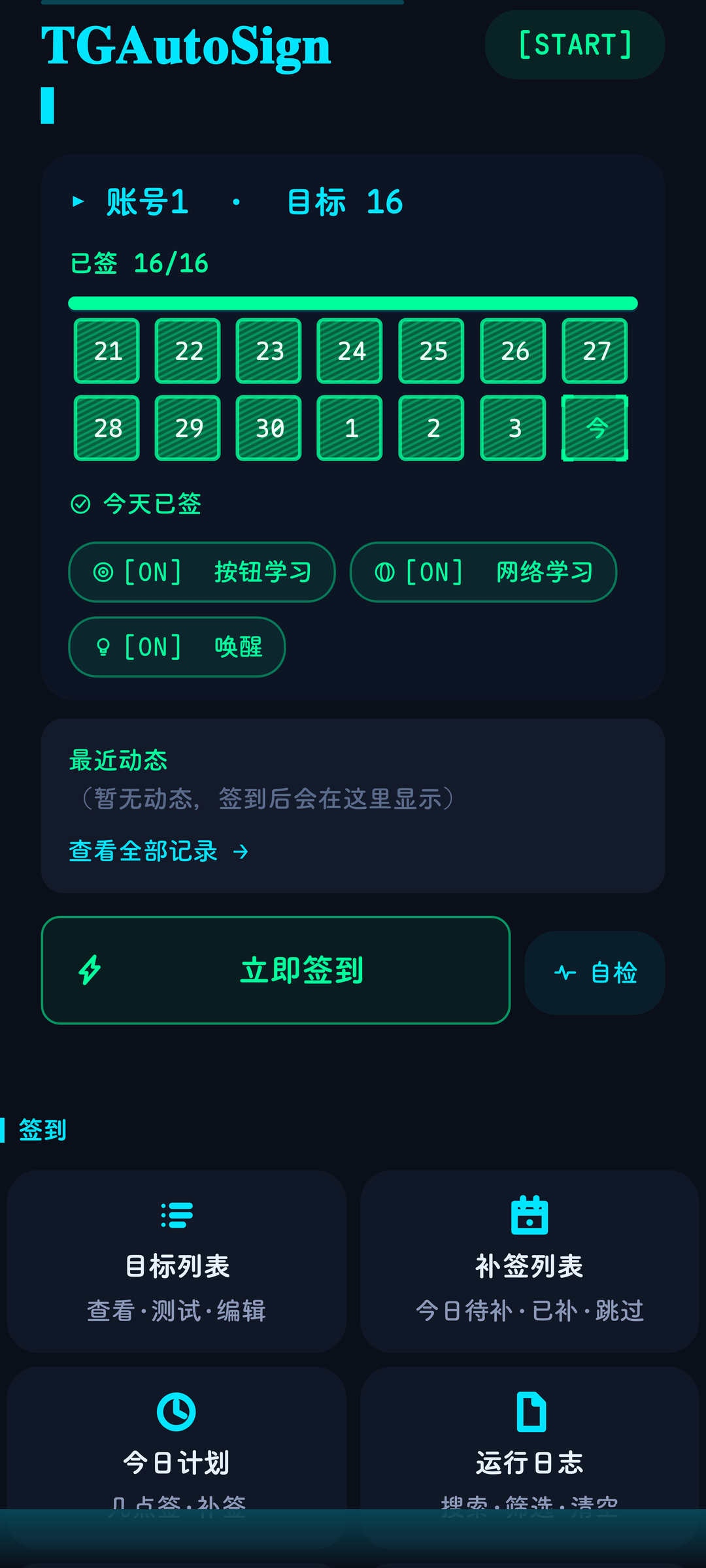
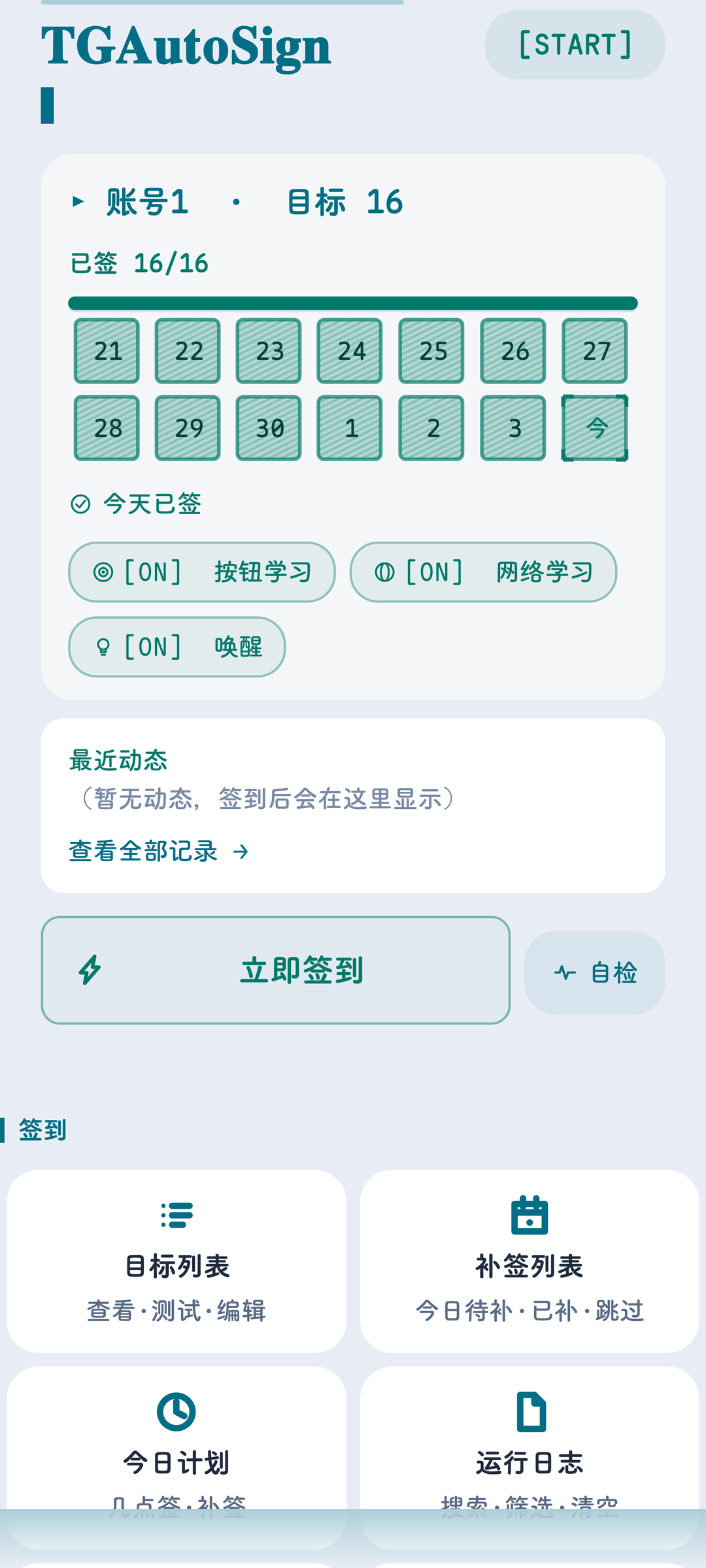
各主题详细截图 · 主面板 / 目标列表 / 设置
| 主面板 · 暗色 | 主面板 · 亮色 |
|---|---|
 |
 |
| 目标列表 · 暗色 | 目标列表 · 亮色 |
|---|---|
 |
 |
| 设置 · 暗色 | 设置 · 亮色 |
|---|---|
 |
 |
| 能力 · Capability | 说明 · Description |
|---|---|
| 点一次就学会 · Tap once, it learns | 在 bot 里点一下签到按钮,之后每天自动重放;按钮 data 变了也跟得上 Tap the bot's button once and it replays daily — even when the callback data changes. |
| 文本指令也行 · Text commands too | 填 bot ID + 指令(如 /checkin),到点自动发Set bot ID + command (e.g. /checkin); sent on schedule. |
| 群 / 频道签到 · Group & channel check-ins | 群 ID 同样支持,回复判定按群内消息走 Group IDs supported; replies are read from group messages. |
| 时间你说了算 · Your schedule | 签到窗口 · 每目标随机时刻 · 错开间隔 · 补签截止 · 暂停一周 Window · per-target random slots · spacing · make-up deadline · pause a week. |
| 不硬刚风控 · Rate-limit friendly | 失败退避 5m→15m→45m→2h→4h · 尊重 FLOOD_WAIT · 断网自动补签Backoff on failure · waits out FLOOD_WAIT · catches up when back online. |
| 不想签的挡得住 · Block what you don't want | 关键词 / 正则规则 · 整只 bot 排除 · 单个目标冻结 Keyword / regex rules · block a whole bot · freeze a single target. |
| 多账号互不干扰 · Multi-account, isolated | 目标与已签状态按账号隔离;可一键把目标复制到其它账号 Targets and signed-state are per account; copy targets across accounts. |
| 每天一条摘要 · Daily summary | 发到自己的收藏夹,不弹系统通知;连续失败 3 天额外告警 One message to your Saved Messages; alert after 3 failing days. |
| 中英双语界面 · Bilingual UI | 英文设备装上即英文;设置里可手动切换 English out of the box on English devices; switchable in Settings. |
| 数据全在本地 · Local by design | 仅更新检查联网,可关闭 Only the update check goes online — and it can be turned off. |
模块先按宿主包名判定,再按标志类能力兜底,命中才注入。
要求:已 root + LSPosed(libxposed API 102 及以上,见 LSPosed Manager → 设置 → 关于)。不支持:未 root 设备、Telegram X、独立服务器部署。 Matched by host package first, then by flag classes as fallback — only injects on a match.
| 客户端 · Client | 包名 · Package | 状态 · Status |
|---|---|---|
| Telegram(Play / 默认渠道) | org.telegram.messenger |
✅ 13.0.1 实测 · tested |
| Telegram(官网直连版) | org.telegram.messenger.web |
✅ 实测 · tested |
| Nagram(NextAlone) | xyz.nextalone.nagram |
✅ 12.10.3 实测 · tested |
| Nagram XF | fork.risin42.nagramx |
✅ 实测 · tested |
| ExteraLess | com.exteraless.app |
✅ 12.10.5 实测 · tested |
| Mercurygram | it.belloworld.mercurygram |
✅ 12.10.3.1 实测 · tested |
| Turrit | org.telegram.group |
✅ 1.9.0.4.2 实测 · tested |
| Nnngram(NextAlone) | xyz.nextalone.nnngram |
✅ 12.10.6 实测 · tested |
| AyuGram | com.radolyn.ayugram |
✅ 实测 · tested |
| Nagram / NagramX / NagramNX | nu.gpu.nagram 等 |
✅ 实测 · tested |
| 其它 Telegram-Android fork | 任意 | 标志类齐全即注入 · injects if flags intact |
| Telegram X | — | ❌ 不注入(换内核)· not injected |
⚠️ 作用域 · Scope:LSPosed 里默认只勾了官方版。用第三方客户端,请把对应客户端也勾进模块作用域。 LSPosed enables only the official client by default. Using a third-party client? Tick that client in scope too.
| 步骤 · Step | 做什么 · Do this |
|---|---|
| 1 | 装 APK → LSPosed → 模块 里启用 TGAutoSign Install the APK → LSPosed → Modules → enable TGAutoSign |
| 2 | 作用域里勾选你在用的 Telegram 客户端 Tick your Telegram client in Scope |
| 3 | 完全停掉 Telegram,再重新打开 Fully stop Telegram, then reopen it |
| 4 | 任意聊天发 /jmb → 到 bot 会话点一次它的签到按钮Send /jmb in any chat → tap the button once in the bot chat |
完成。之后每天自动签,想看状态随时发
/jmb。 Done. It signs daily from then on — send/jmbanytime to check.
Q:点了按钮没有添加 / Tapped the button but nothing was added
检查「设置 → 学习行为」里的自动学习开关;或 /jmb → 添加目标手动加。若仍不加,确认作用域已勾选、并完全停止 Telegram 重开。
Check the auto-learn switch under Settings → Learning, or add the target manually via /jmb → Add target. If it still won't add, make sure the scope is ticked and fully restart Telegram.
Q:机器人是点按钮不发文字的那种 / The bot uses buttons, not text
能。点一次按钮即学会(列表里带类型标记),之后每天自动重放。若按钮是打开网页或游戏类(无回调数据),不会误学。
Yes. Tapping once teaches it (the list shows a type badge) and it replays daily. Buttons that only open a web page or game (no callback data) are never mis-learned.
Q:官方版能用,第三方客户端用不了 / Works on the official client but not a third-party one
模块已支持这些客户端(见支持矩阵),但作用域默认只勾了官方版 —— 到 LSPosed 里把对应客户端勾进模块作用域,再完全停止 Telegram 重开。
Those clients are supported (see the matrix), but scope only includes the official client by default — tick your client in LSPosed, then fully restart Telegram.
Q:签到没生效怎么办 / Signing isn't working
/jmb → 自诊断看反射锚点是否正常;运行日志查注入与签到记录;仍未解决就导出运行日志,附客户端名称与版本提 Issue。
Run /jmb → Self-check to verify the reflection anchors, then inspect the log view. Still stuck? Export the log with your client name and version and open an issue.
Q:怎么迁移到新手机 / 新账号 / Migrating to a new phone or account
旧环境 /jmb → 导出配置;新环境把 json 放进 Android/data/<客户端包名>/files/tgautosign/ 后导入。导入只合并不清空。
On the old device: /jmb → Export. On the new one: drop the json into Android/data/<client package>/files/tgautosign/ and import. Import merges, never wipes.
Q:升级提示「与已安装应用签名不同」/ "Signature mismatch" when updating
装到了调试包。先卸载再装本页正式版;正式包之间可直接覆盖升级,签到数据不丢。
You installed a debug build. Uninstall it, then install the official APK from here. Official builds upgrade over each other in place — your data is kept.
修复:已签状态以 bot 回复为依据 · 同一条回复内以结论为准 · 非结果内容不参与判定 · 结果与推广分开识别 · 判定结果与列表显示一致 · 图片、贴纸类回复不产生签到结论 · 收藏夹摘要开关按账号生效 · 「未识别」页面长列表渲染 · 定时模式下的补签时间窗口 · 学习词条按层级生效 · 本地无该 bot 记录时仍可添加目标
新增:单目标固定签到时刻 · 签到音效 · 目标名称补全 · 开屏当日状态摘要
新增:链路自检(全部功能 → 调试 → 自诊断 顶部) · 第二条独立消息入口(锚点 B) · 「从不应答」状态单列 · 动态表情(骰子)签到 · emoji 签到面板(全部功能 → 配置 → emoji 签到) · 统一会话选择器 · 支持直接填写 @用户名 · 命令速查(/jmb help 手册第 4.5 章) · 捕捉模式开关 · 「收藏夹摘要」独立开关(设置 → 通知) · 统计页扩充 · 签到中心改版(账号一览) · 账号健康度徽章 · 使用手册(12 章)
修复:bot 已回复但判定不出、状态长期停在「已发出」 · 按钮回应中的答案被误读 · 按钮反复失效后状态残留「已发出」 · 已签目标半小时内仍被判为「在等结论」 · 按钮型目标收到图片或贴纸被误报「回复判不出」 · 命令菜单被误判为签到结果 · 目标列表末尾无法滚动到底 · 全部目标显示「已发出 4999 分钟仍未结案」 · 模块自身发出的指令被收进「待添加」 · 点击入口后整个面板消失 · 定时日志与实际执行时间不符 · 纯表情口令在群聊中无法学习 · 添加目标后弹出「已发起签到」 · 宽松模式下非签到回复被判成功
优化:错误处置统一收敛 · 需处理口径统一 · 手动触发的闸门修正 · 跨账号复制 · 多账号回复判定 · 界面一致性 · 单账号签到无反馈、进度分母虚高 · 文案与提示语
基于 GPLv3 开源,仅供个人学习与自有账号使用。 请遵守 Telegram 服务条款及各群组 / 机器人规则。
Licensed under GPLv3. For personal use with your own accounts. Please respect Telegram's Terms of Service and each group's / bot's rules.
Made by wlmosv · 点个 Star 是持续更新的动力