简体中文 | English
A lightweight, high-performance Android notification filtering module built on the Xposed / LSPosed framework. By hooking deep into the system layer, it accurately intercepts and blocks annoying marketing ads and spam push notifications, restoring a clean and tidy notification shade experience.
- System-Level Hooking (Notification Hook): Intervenes in the notification generation workflow at the system level, directly blocking spam pushes to prevent useless notifications from waking up the screen or making sounds.
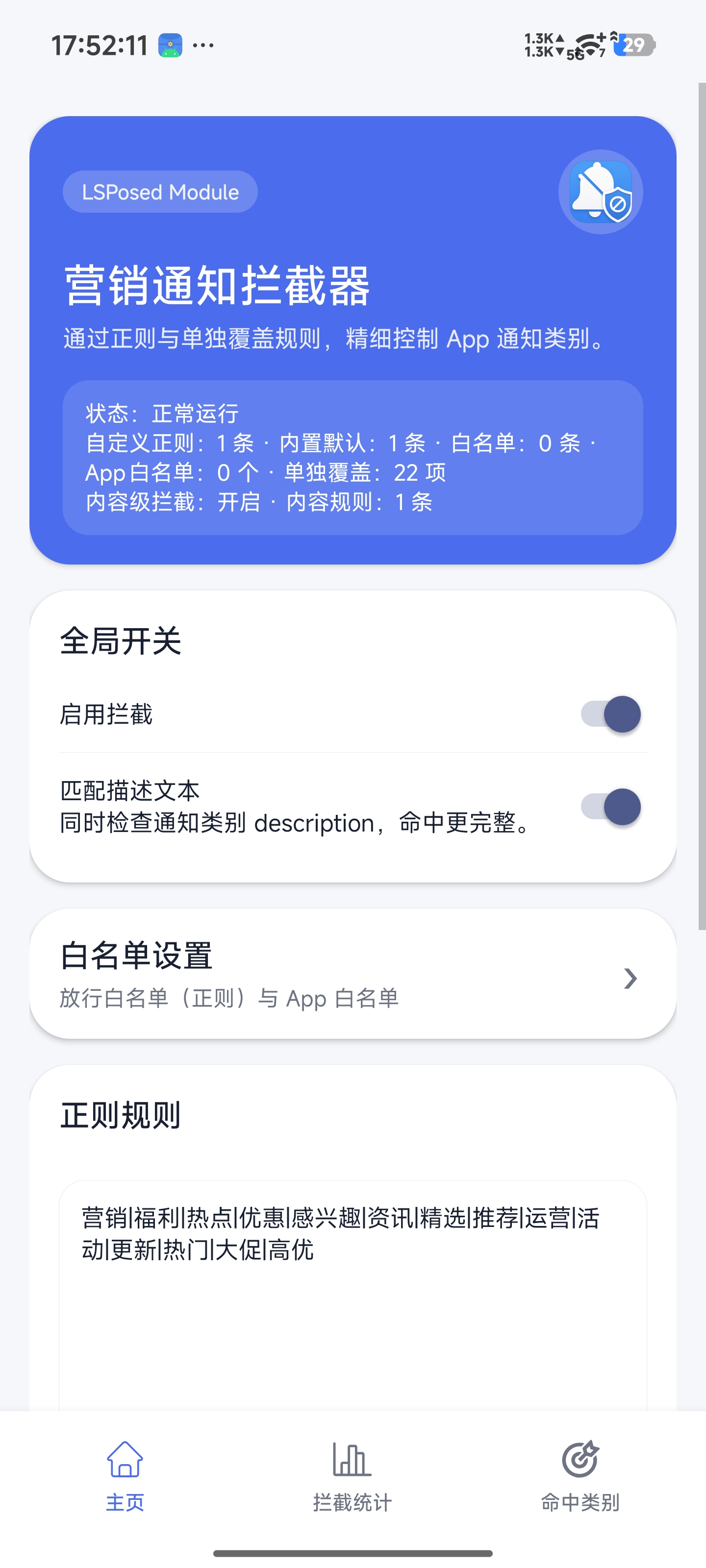
- Flexible Regex Matching (Regex Configuration): Supports highly customizable regular expression rules to precisely match specific keywords (such as ads and marketing promos) while avoiding accidental blocks of important messages.
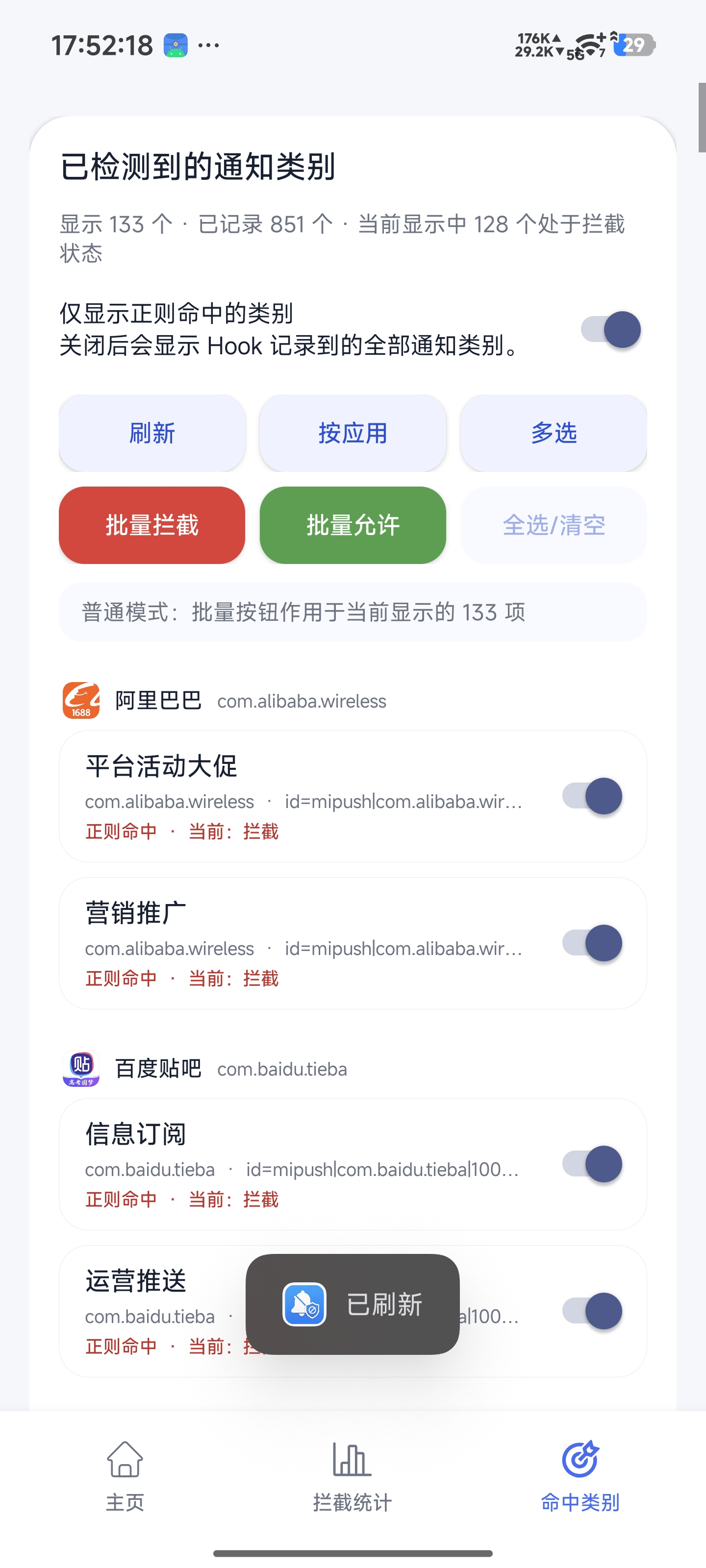
- Channel Management: Deeply takes over the Android system's Notification Channels, allowing you to log and directly freeze specific push channels of rogue applications, with per-channel overrides you can flip individually.
- Content-Level Interception (Experimental): Optionally matches a notification's title/text directly, catching marketing spam pushed through a shared or "default" channel that channel-level rules can't isolate. Off by default; foreground-service notifications are never touched.
- Two-Layer Whitelist: A regex allow-list (e.g. verification codes, IM apps) always wins over block rules, plus an App whitelist that exempts an entire app (both channel- and content-level) from interception.
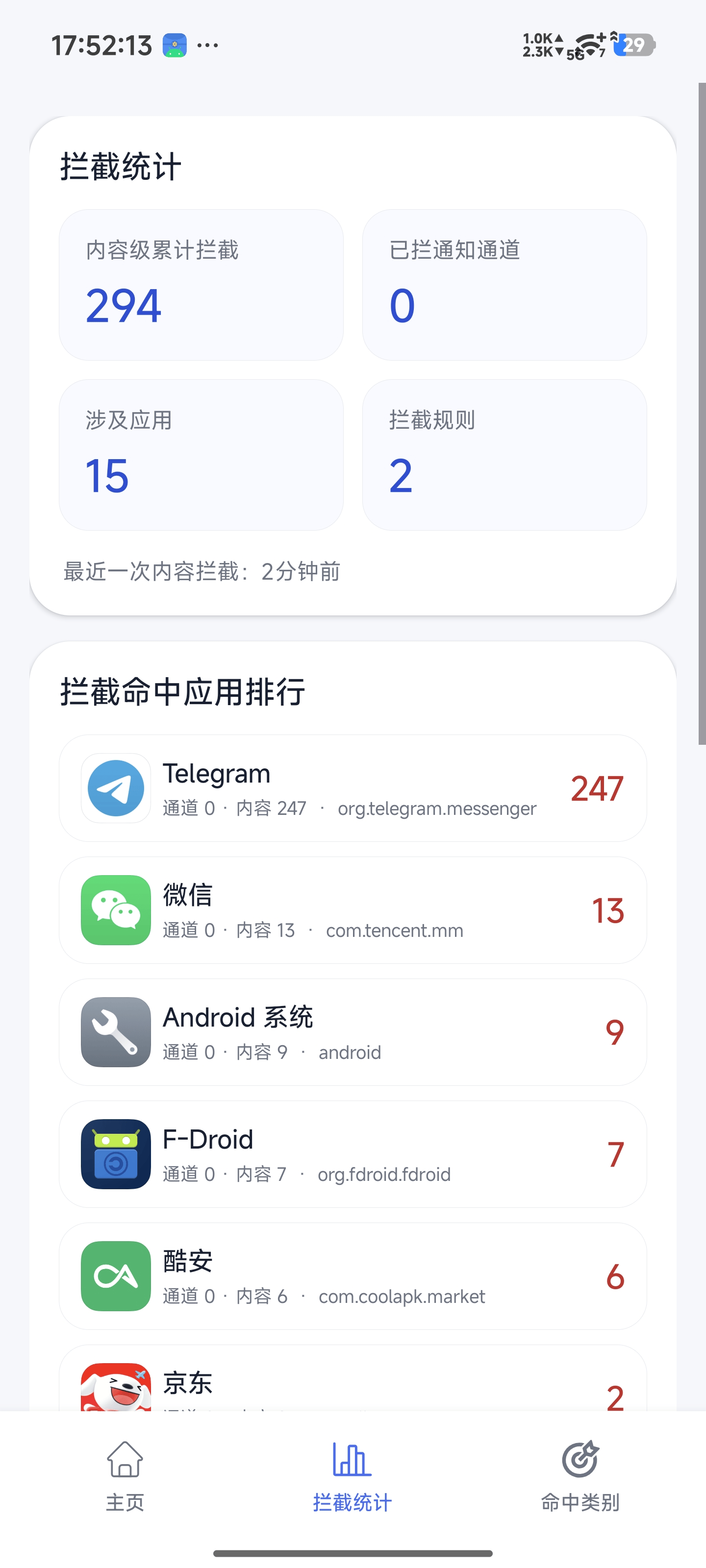
- Interception Statistics: Tracks cumulative content-level block counts and a per-app hit ranking so you can see what's actually being filtered.
- Multi-language UI: Interface available in Simplified Chinese and English, switchable from the About screen.
- Lightweight & Efficient: Features a highly optimized code structure with minimal runtime overhead, complete with built-in environment validation and safety mechanisms.
- Automatic Safe Mode: Monitors System UI for repeated crashes; if it restarts more than twice within 30 seconds, the module automatically stops intercepting (without uninstalling itself) until you confirm your rules and clear the flag from the app.
| Home / Rules | Hit Category | Interception Stats |
|---|---|---|
 |
 |
 |
To run this module properly, your device must meet the following requirements:
- Unlocked Bootloader with Root access.
- Successfully installed and activated LSPosed framework.
- Supported Android Versions: Android 15, Android 16 (Other Android versions are untested but may work; verified on HyperOS 3.0 and crDroid 11.2).
- Go to the Releases page and download the latest
.apkpackage. - Install the APK file normally on your device.
- Open the LSPosed Manager, locate MarketingNotificationBlocker in the "Modules" list, and enable it.
- Select the scope: only "Android System Framework" is required. This module hooks the system framework process (system_server) exclusively — all channel blocking happens there — so you do not need to select any individual apps (selecting them has no effect).
- Reboot your device to apply the module injection (restarting only System UI is not enough to reload hooks inside the system framework).
- Open the app interface to start configuring your custom regular expressions and filtering rules.
The very first "Reboot your device" is a one-time step to load the hook into
system_server. After that, edits to rules, toggles, and whitelists made in the app take effect on the next notification/channel event — no further reboots needed.
This module is intended solely for educational and research purposes regarding low-level Android Hooking techniques. Please configure your interception rules carefully to avoid missing critical notifications (e.g., instant messages, verification codes). The developer assumes no responsibility for any data or information loss caused by the use of this module.
If you have optimized regex rules to share or encounter any bugs during daily use, feel free to submit an Issue or Pull Request! Let's make this project better together.
This project is licensed under the MIT License.